
Dreamliner One
Dreamliner's upgrade for a server: your own bot branding, auto translate, unlimited Autopilot and much higher limits across Social Notifications, Bluesky, Images, AI Characters, the Tickets AI Responder and Team Control. $1.99 a month, or free with top.gg votes.
By the end, you'll have
- Exactly what One adds on top of free Dreamliner, feature by feature
- How to get One: a Discord subscription or free with top.gg votes
- What happens to your setup if One ends
Before you start
- Manage Server in the Discord server you want to upgrade.
Dreamliner is free, and it stays free: every plugin works without paying. Dreamliner One is an upgrade for one server. It doesn't replace or lock anything you already use. It adds your own branding, auto translate and unlimited Autopilot, and raises the limits on the plugins that cost the most to run.
A custom avatar, banner, nickname, name style and bio in your server.
Setup wizards, copywriting and Server Autopilot with no use limit.
Up to 5 times more creators and feeds, and up to 50 times more AI replies.
What Dreamliner One is
One is tied to a server, not a person. When a server has One, everyone there gets the benefits, whoever set it up. You'll spot it by the lightning bolt next to the server's name in the dashboard's server picker and on its public server page.
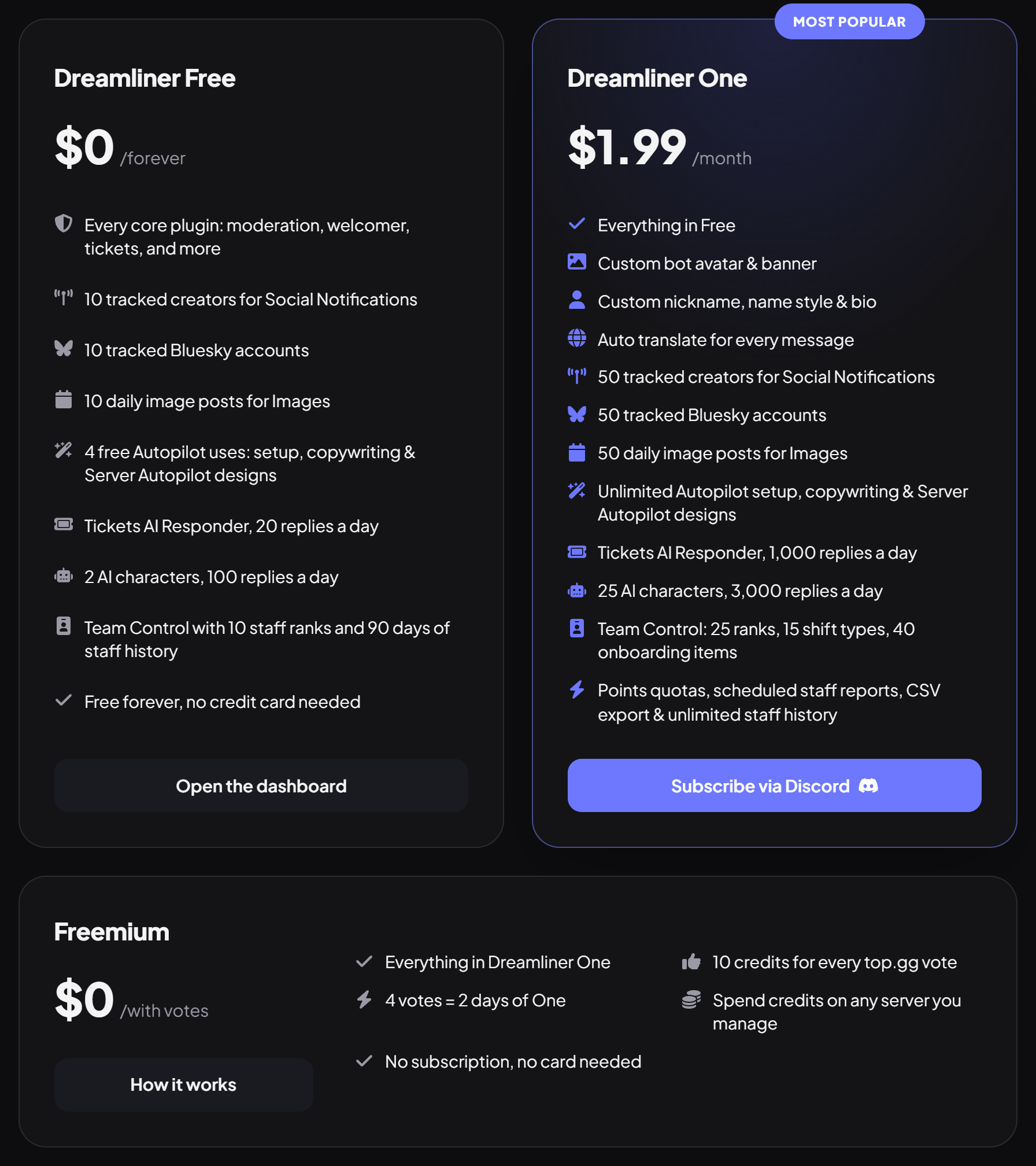
| Plan | Price | What you get |
|---|---|---|
| Dreamliner Free | $0, forever | Every plugin, with the free limits below. |
| Dreamliner One | $1.99 a month | Everything in Free, plus every One feature, for one server. |
| Freemium | $0, with votes | The same Dreamliner One, paid for with credits from top.gg votes. |
Free vs One at a glance
These are all the differences. Anything not listed here works the same on both.
| Feature | Free | Dreamliner One |
|---|---|---|
| Custom Branding | Not included | Avatar, banner, nickname, name style, bio |
| Auto translate | Not included | Included |
| Autopilot | 4 uses per server | Unlimited |
| Social Notifications | 10 creators | 50 creators |
| Bluesky | 10 accounts | 50 accounts |
| Images: daily images | 10 | 50 |
| AI Characters | 2 characters, 100 replies a day | 25 characters, 3,000 replies a day |
| Tickets AI Responder | 20 replies a day | 1,000 replies a day |
| Team Control: staff ranks | 10 | 25 |
| Team Control: shift types | 3 | 15 |
| Team Control: onboarding checklist | 10 items | 40 items |
| Team Control: staff history | Last 90 days | Unlimited |
| Team Control: points quotas, scheduled reports, CSV export | Not included | Included |
Step 1 · about 3 min
Custom Branding
Make Dreamliner look like it belongs to your server.
With One, Dreamliner can wear your server's look instead of ours. These changes only apply in your server: everywhere else, Dreamliner looks normal.
- On the dashboard, click Custom Branding in the sidebar (it has the lightning bolt). It opens as its own page.
- Turn on Enabled in the page header. This applies straight away. While it's off, the page says so and the preview is marked Not live, but everything you change still saves.
- Under Profile picture, press Upload avatar (or drag a picture in), or pick one of the Seasonal avatars. Under Banner, press Upload banner (about 680 by 240 works best). Both are marked Saves instantly: they go live as soon as you pick them, and Clear goes back to the default.
- Under Name, set a Server nickname (up to 32 characters), then choose its look right below in Name style: Typeface, Effect and Name colour. Reset style undoes it. Under About me, write a bio (up to 190 characters). These two are marked Save to apply.
- Check the Live preview, which stays beside you as you scroll. Switch between Profile and In chat to see both, then press Save changes in the bar at the bottom to make the name and bio live.
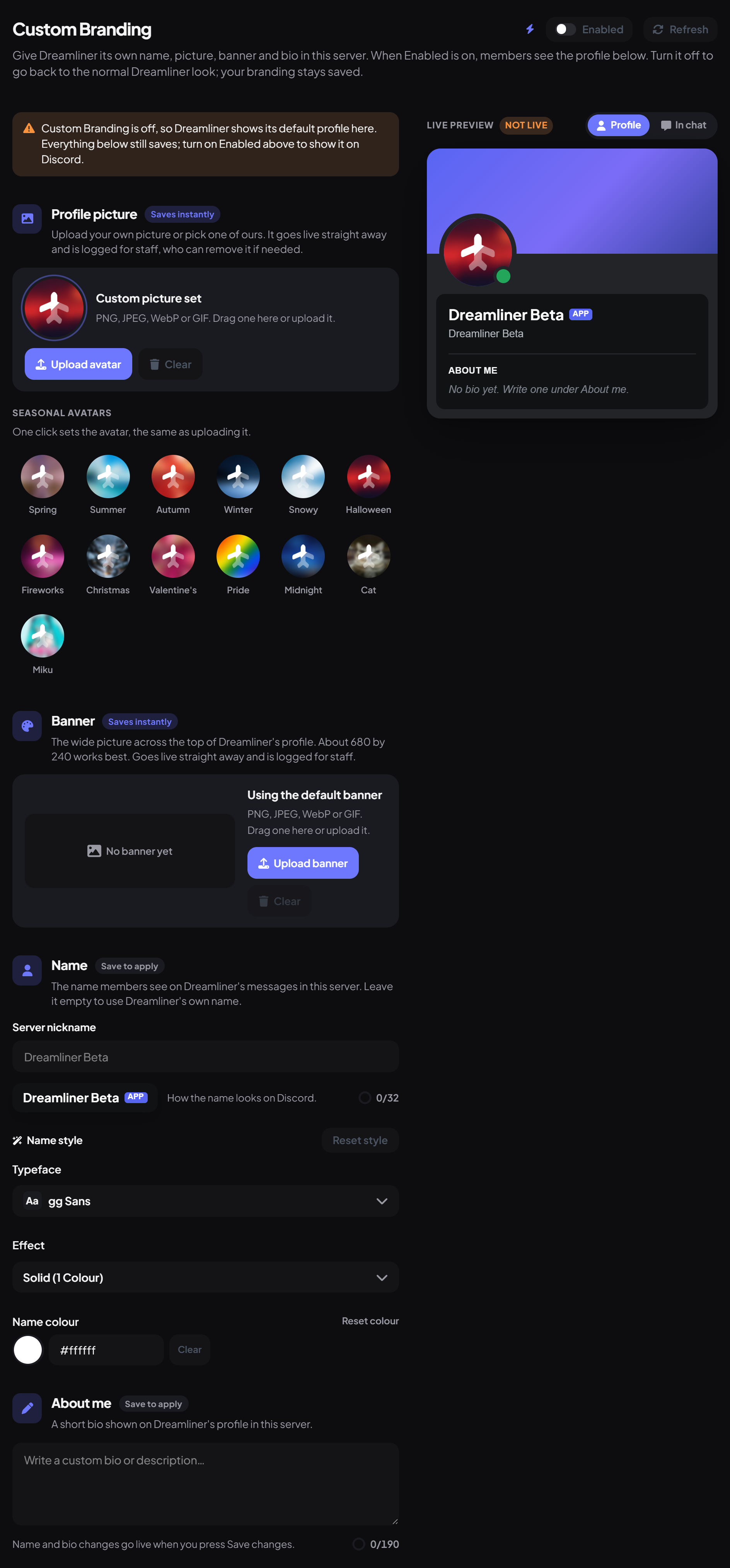
On a server without Dreamliner One, clicking Custom Branding opens the Dreamliner One window instead of the page (see the next steps for how to get One).
- Changes show up on Discord straight away: no reinviting and no waiting for approval.
- Uploaded avatars and banners are checked by the Dreamliner team after they go live, and anything against the rules is removed.
- Switch Enabled off to go back to the normal Dreamliner look. Your branding stays saved for next time.
Step 2 · about 2 min
Auto translate
Help members who speak different languages understand each other.
When someone writes in a language other than your server's default, Dreamliner reacts with that default language's flag. Anyone who presses the flag gets a translation as a reply. Nobody has to copy the message into a translator.
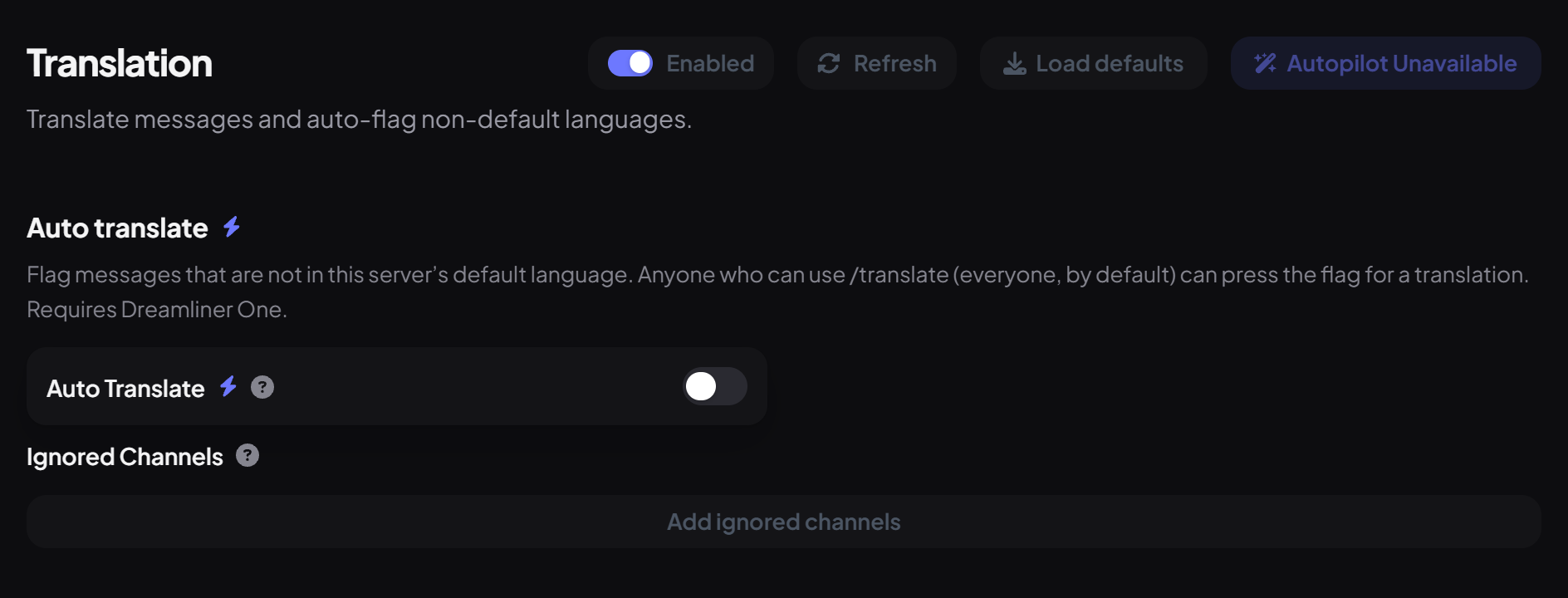
- Open the Translation plugin and make sure it's Enabled.
- Under Auto translate, switch on Auto Translate.
- Optionally, add channels where it shouldn't react under Ignored Channels, then save.
Unlimited Autopilot
Every server gets 4 free Autopilot uses, shared between setup wizards, Ask Autopilot and Server Autopilot designs. With One there's no limit at all, so you can rerun a wizard or redesign your server as often as you like.

Avia, Dreamliner's help assistant, has its own daily allowance and doesn't depend on One. See the Autopilot guide for everything Autopilot can do.
Higher limits
Some plugins cost us more to run because they check other websites or use AI. They're free with generous limits, and One raises them.
Step 3 · about 2 min
Get One with a subscription
Subscribe your server through Discord.
The subscription costs $1.99 a month and is handled entirely by Discord, so you pay with whatever you already use on Discord.
- Press Subscribe via Discord. It's on dreamliner.site/one, and in the Dreamliner One window that opens when you click a One feature (like Custom Branding) on a server without One.
- Discord opens Dreamliner's store page. Choose the server you want to upgrade and complete checkout.
- One usually turns on within a few minutes. Look for the lightning bolt next to the server in the dashboard.
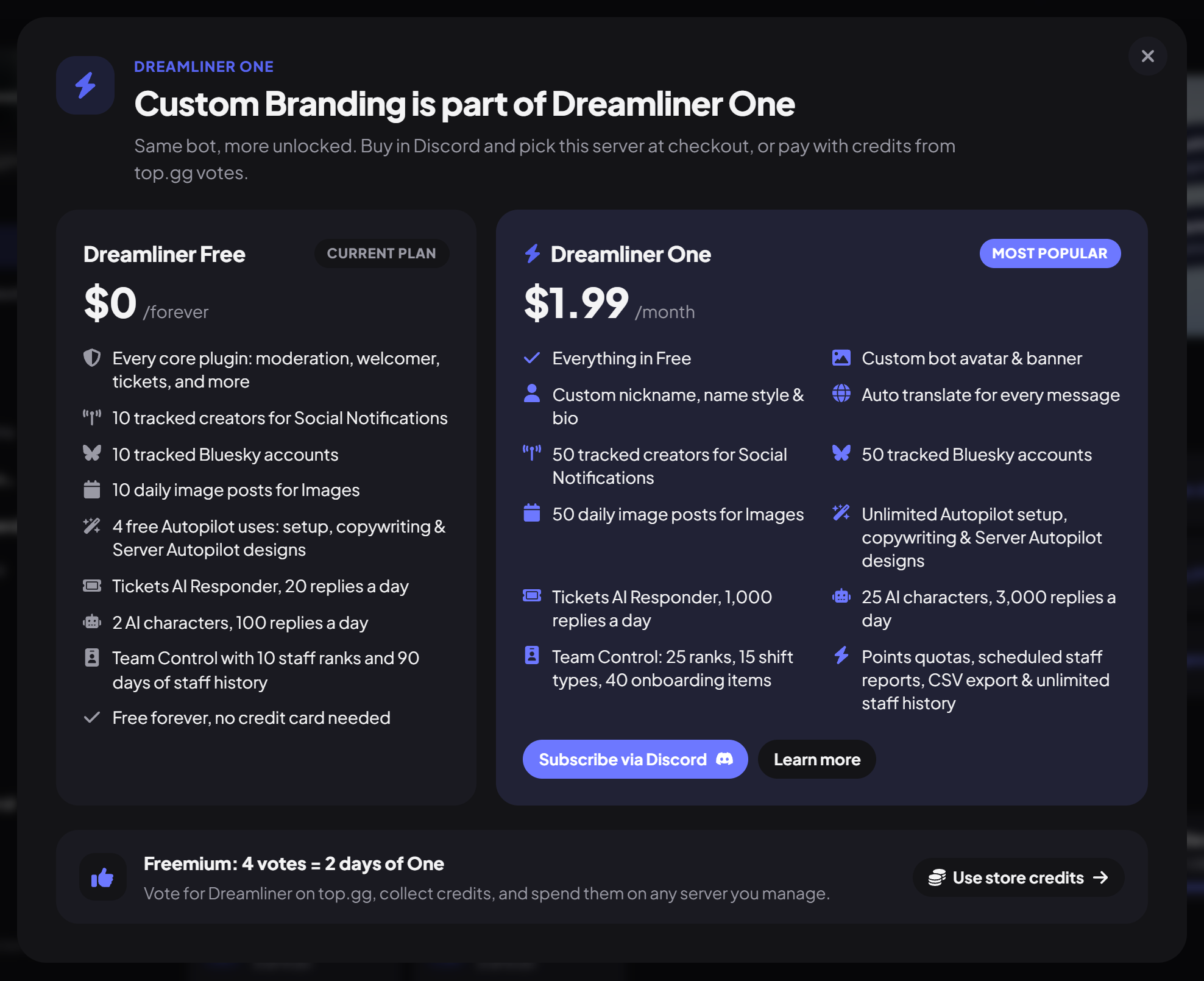
The window lists what you get on Dreamliner Free and on Dreamliner One, the same lists as on the /one page. Learn more opens that page, and the Freemium: 4 votes = 2 days of One strip at the bottom takes you to the Store with Use store credits.
Step 4 · about 3 min
Get One for free with votes
Turn top.gg votes into days of Dreamliner One.
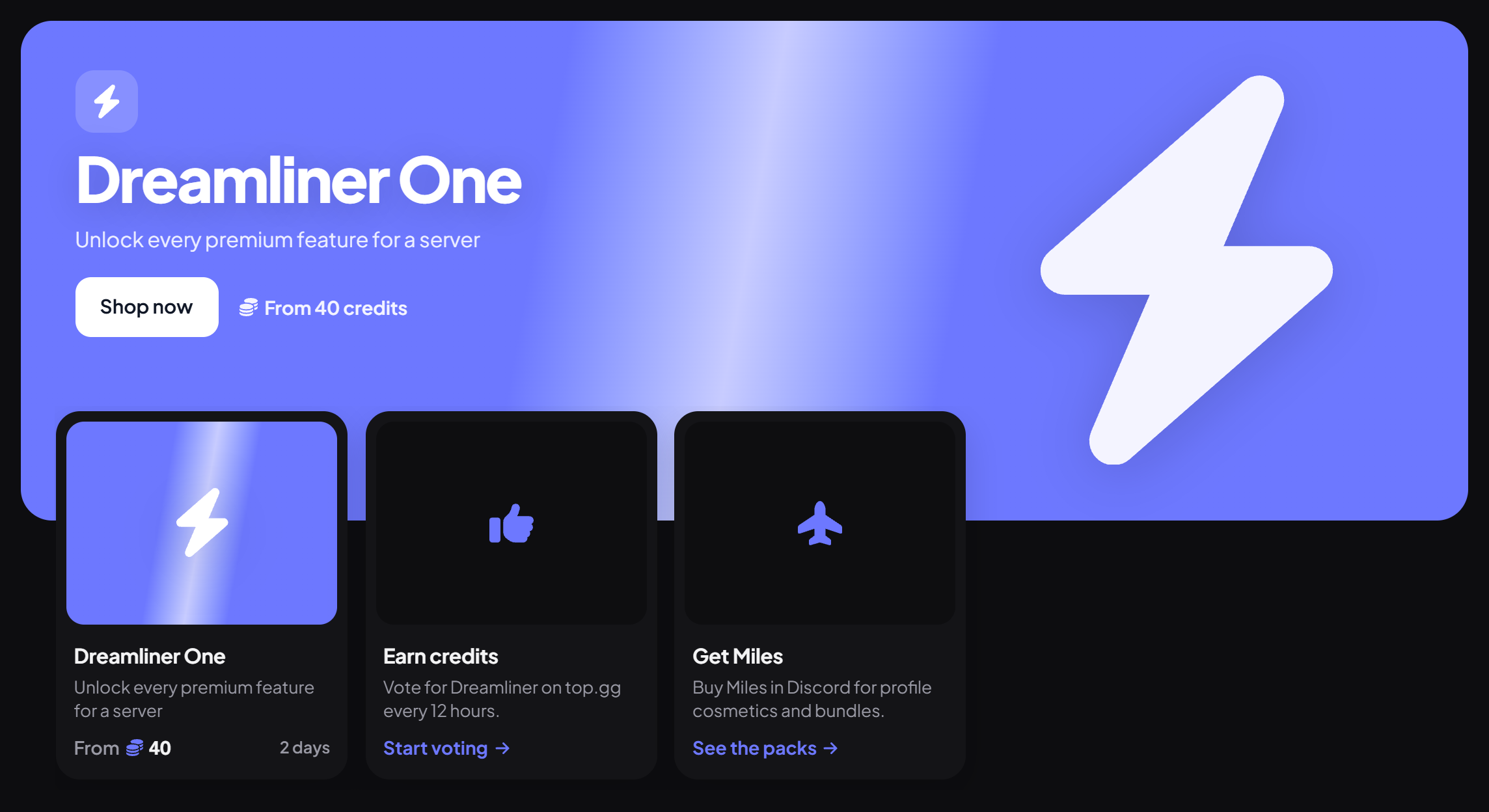
Don't want a subscription? Vote for Dreamliner on top.gg and spend the credits you earn on One for any server you manage. No card needed.
| What | How much |
|---|---|
| Each top.gg vote | 10 credits (you can vote every 12 hours) |
| 1 day of One | 20 credits |
| Smallest purchase | 2 days (40 credits), so 4 votes |
| Largest purchase | 90 days at a time |
- On the Store, press Start voting and vote for Dreamliner on top.gg. Your credits arrive automatically.
- Open Dreamliner One, pick a server you manage and how many days you want.
- Confirm. The days start straight away.
- Days stack: buying more adds to whatever time the server already has.
- Missed a vote's credits? Claim earlier votes from Account → Store.
- Dreamliner can DM you a reminder 12 hours after you vote. Turn it off in the DM or on the Store tab.
- You can't spend credits on a server that already has a Discord subscription to One.
If One ends
Nothing is deleted. Your server just goes back to the free limits, and if you get One again, everything comes back as it was.
| Feature | What happens |
|---|---|
| Custom Branding | Your branding settings stay saved, ready for when One comes back. |
| Auto translate | Stops reacting until One is back. /translate still works. |
| Autopilot | Back to the 4 free uses per server. |
| Social Notifications and Bluesky | You can't add more until you're under the free limit of 10. |
| AI Characters | Existing characters keep working, at 100 replies a day. Delete some to add new ones. |
| Images | Only your first 10 daily images keep posting. |
| Team Control | Only the first 10 ranks and 3 shift types are used, history shows the last 90 days, and One-only extras pause. Your full setup stays saved. |
You know Dreamliner One
What you just did
- One upgrades a single server and never takes away free features
- Custom Branding, auto translate and unlimited Autopilot
- Higher limits for Social, Bluesky, Images, AI Characters, Tickets AI and Team Control
- $1.99 a month through Discord, or free with top.gg votes
- If One ends, nothing is deleted: you're back on the free limits
Common questions
Does One cover all my servers?
No, One is for one server. Each server you want to upgrade needs its own subscription or credits.
Do my members need to pay for anything?
No. Once a server has One, everyone in it gets the benefits.
Is anything I use today going to become paid?
No. One only adds things on top of free Dreamliner, and every plugin works without it.
What are Miles?
Miles are bought in Discord and spent on profile cosmetics in the Store. They're separate from One, and One can only be bought with a subscription or with credits.
I subscribed but don't see One yet.
It can take a few minutes. Refresh the dashboard, then ask in the Dreamliner Support server if it still hasn't appeared.
Read next