
Bluesky
Bring Bluesky into Discord: new posts from accounts you follow appear in seconds as rich cards, and members who connect their account can like, repost and follow without leaving Discord.
By the end, you'll have
- Live post cards from Bluesky accounts in your channels
- Filters for reposts, quotes, replies and media
- Members liking and reposting from Discord with their own connected account
- A whole list or starter pack imported in one go
- Follower milestone celebrations
Before you start
- Manage Server, so you can open the dashboard.
- Dreamliner with Send Messages in the feed channel.
Bluesky brings posts from the accounts your community cares about straight into Discord, usually within seconds of being posted. Each post arrives as a card with images, links and Like and Repost buttons. Following up to 10 accounts is free; Dreamliner One raises it to 50.
New posts arrive within seconds.
Members act from Discord with their own account.
Optionally turn pasted Bluesky links into cards.
Celebrate when an account hits a follower milestone.
Step 1 · about 1 min
Open Bluesky and meet your sky
Find the page and get to know its sub-pages.
- On the dashboard, open Engagement and click Bluesky. Switch on Enabled at the top and press Save changes.
- The page opens on its Overview. The rest lives in the sidebar under Bluesky: Accounts, Import and Settings.
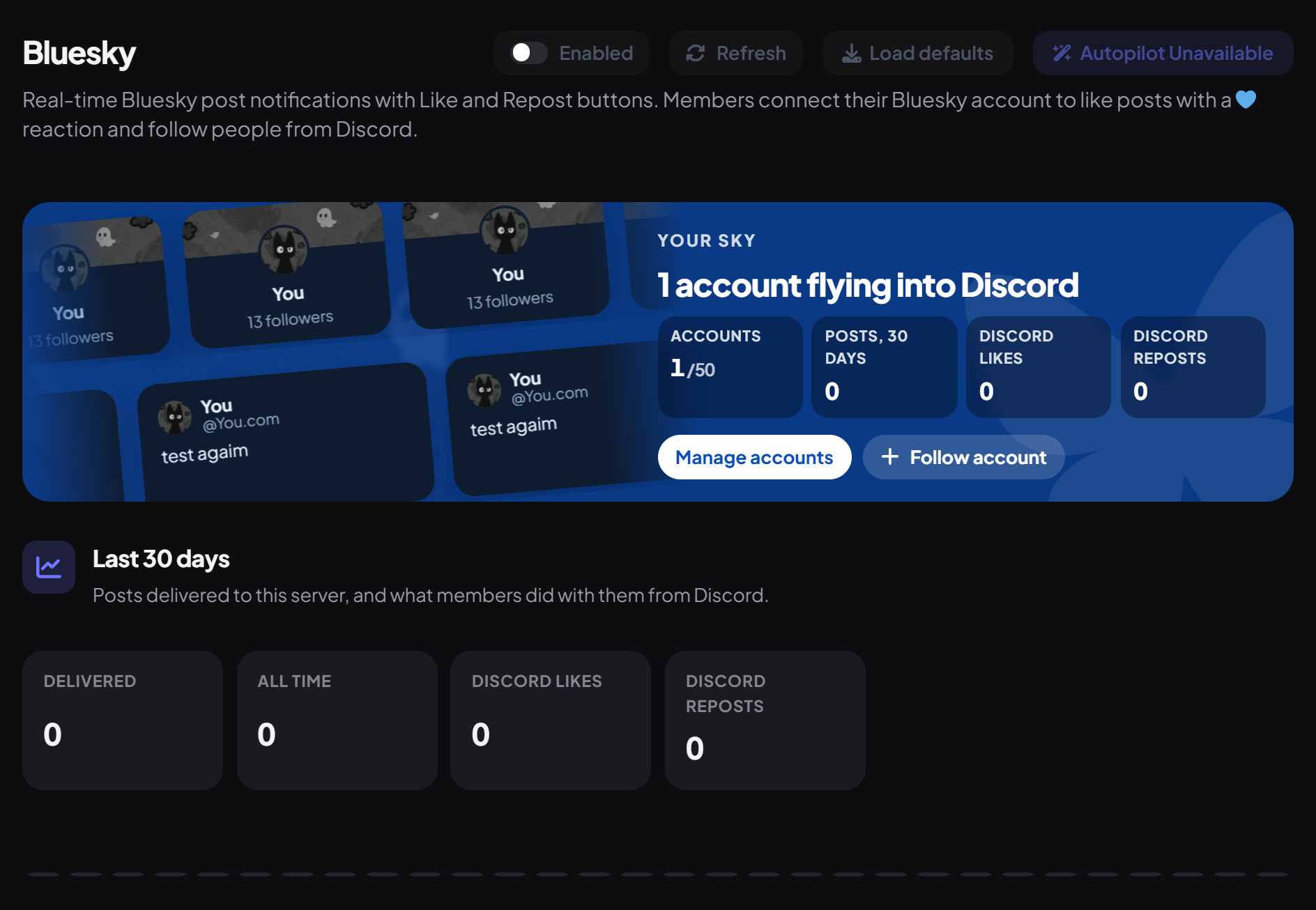
The Your sky banner is made from the accounts you follow: their real avatars, banners and latest posts drift across the banner, next to how many accounts you follow, posts in the last 30 days, and Discord likes and reposts. Use Manage accounts or Follow account from there. On a new server it reads Your sky is clear, for now with Add your first account and Import a list.
Below it, Last 30 days shows posts Delivered, All time, Discord likes and Discord reposts, a daily chart, and your busiest accounts. Recent deliveries lists the newest posts brought into your channels.
Step 2 · about 2 min
Follow an account
Set up your first feed.
- Open Accounts and press Follow account.
- Start typing a name in Bluesky account. Matching accounts appear as you type; pick one. You can also paste a handle (alice.bsky.social), a profile link or a DID and press Find account.
- Choose where to Post new posts in and press Follow.
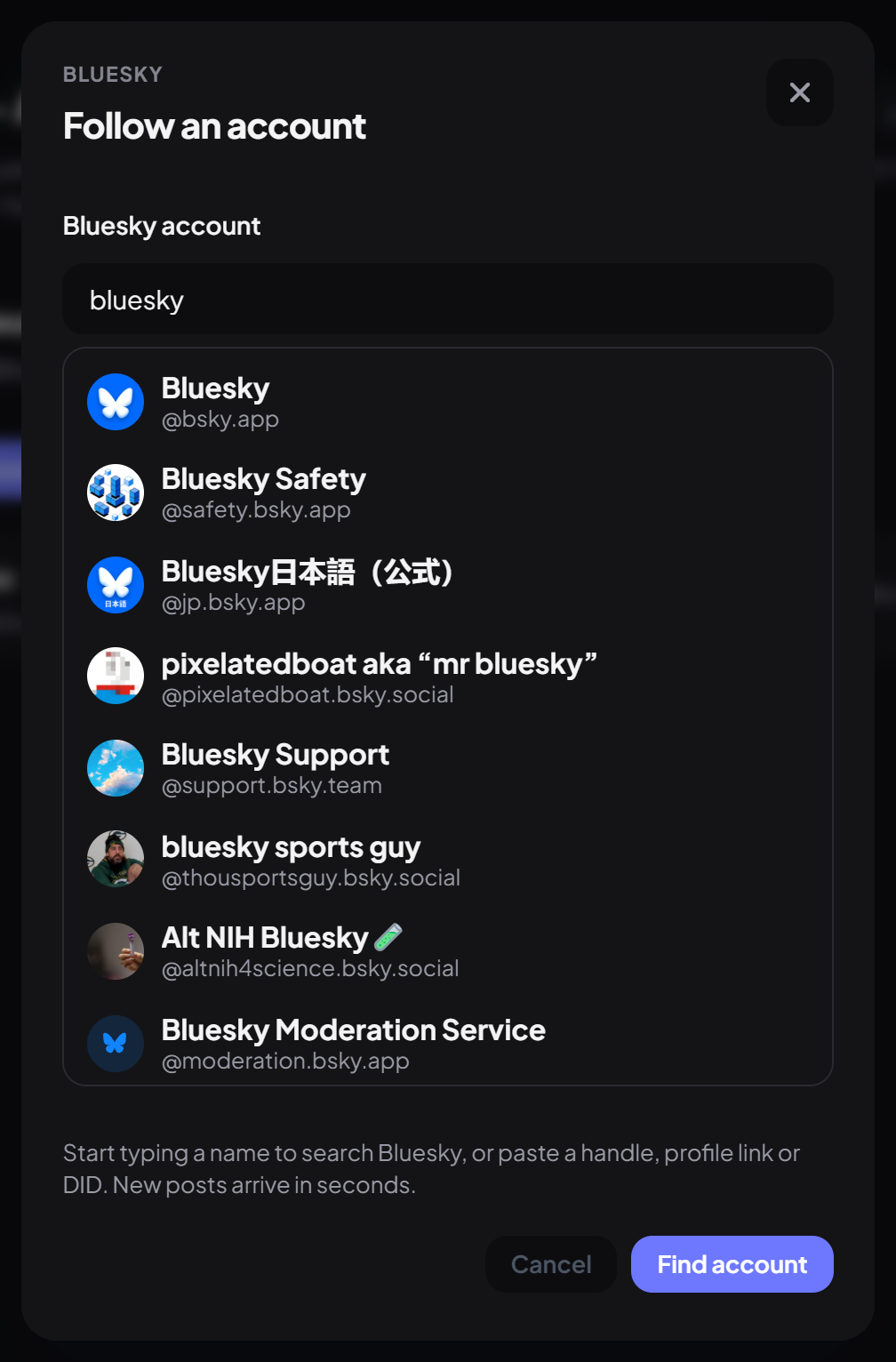
A short name with no dot, like alice, is treated as alice.bsky.social. Accounts you already follow show a Following tag.
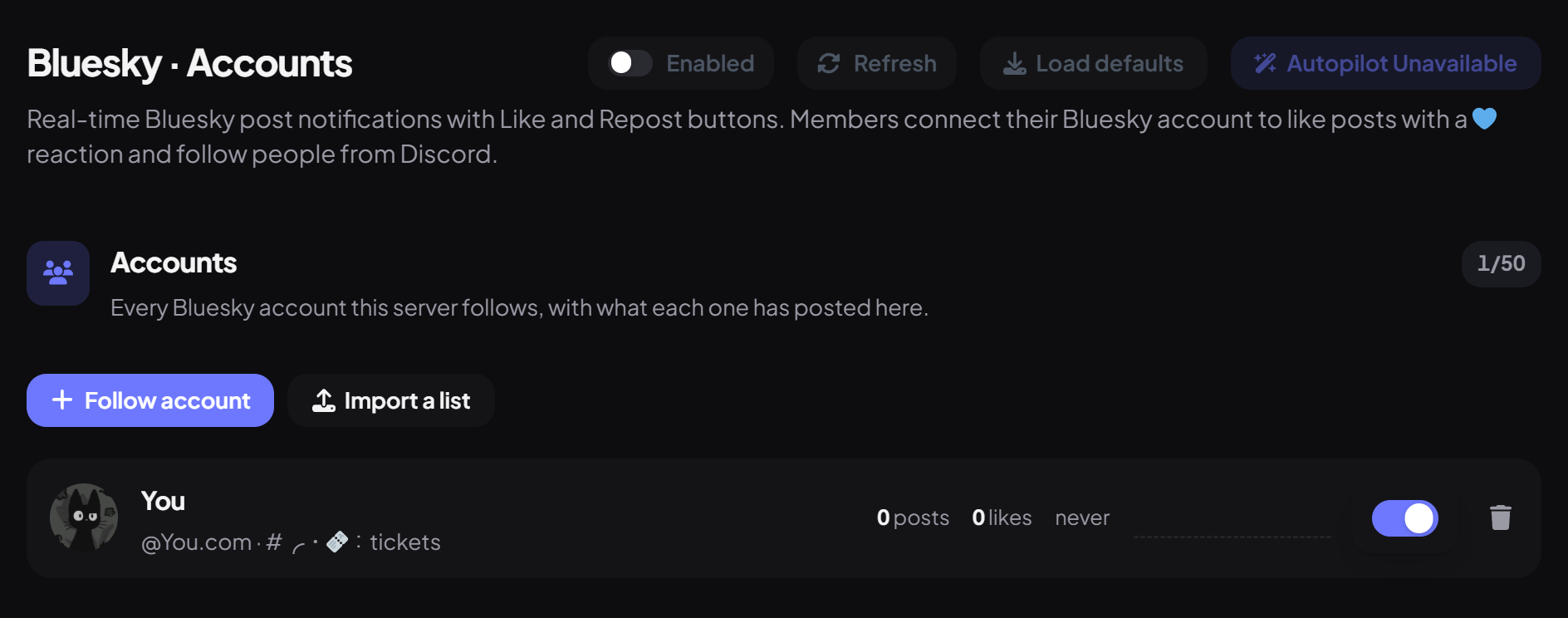
Each row shows posts and Discord likes in the last 30 days and when it last posted, with chips like Paused, Milestones or Channel missing. Use the switch to pause or resume an account, and click a row to edit it.
Step 3 · about 2 min
Import a list or starter pack
Follow many accounts at once.
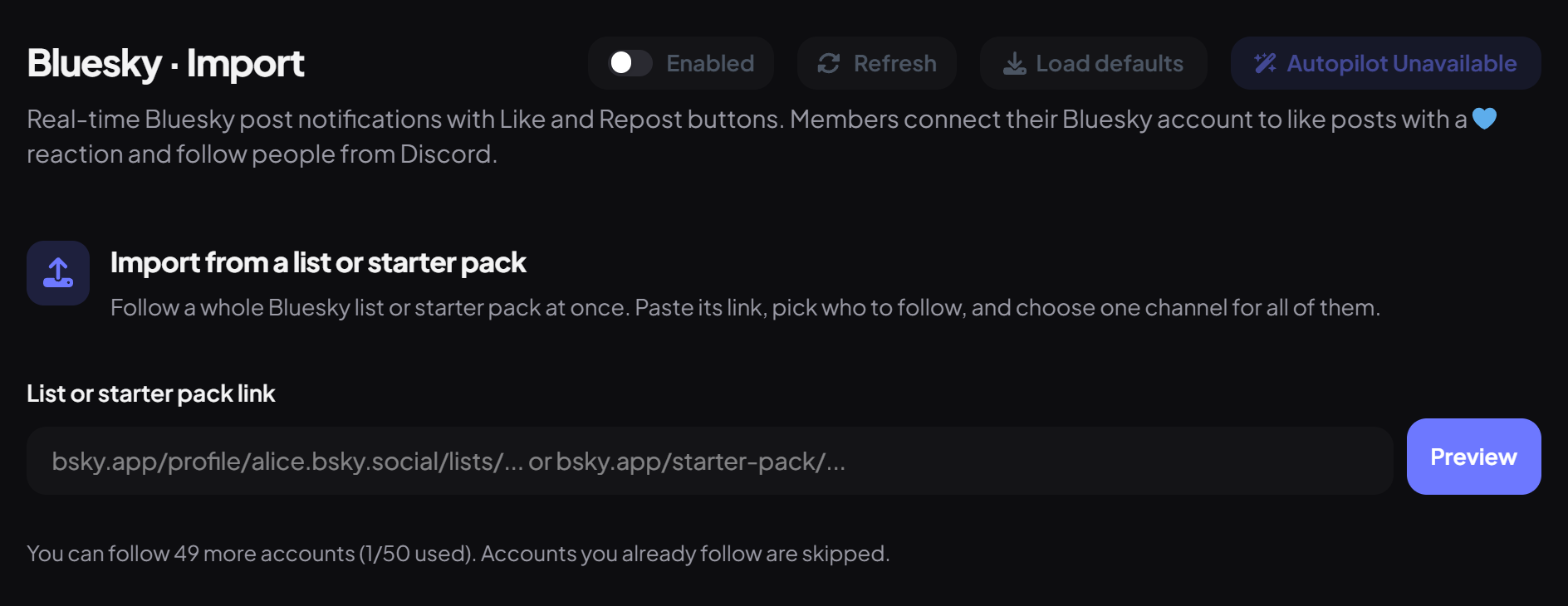
- Open Import (or press Import a list) and paste a list link (bsky.app/profile/…/lists/…) or a starter pack link (bsky.app/starter-pack/… or a go.bsky.app short link) into List or starter pack link. Press Preview.
- Pick who to follow. New accounts are selected up to your limit, and accounts you already follow are skipped.
- Under Shared settings, choose one channel in Post in, any Ping roles, and whether to include reposts, quote posts, replies, only media posts, and follower milestones. Then press Follow (it shows how many accounts). Fine-tune each account later on Accounts.
Step 4 · about 3 min
Choose what's posted
Filter and style each feed.
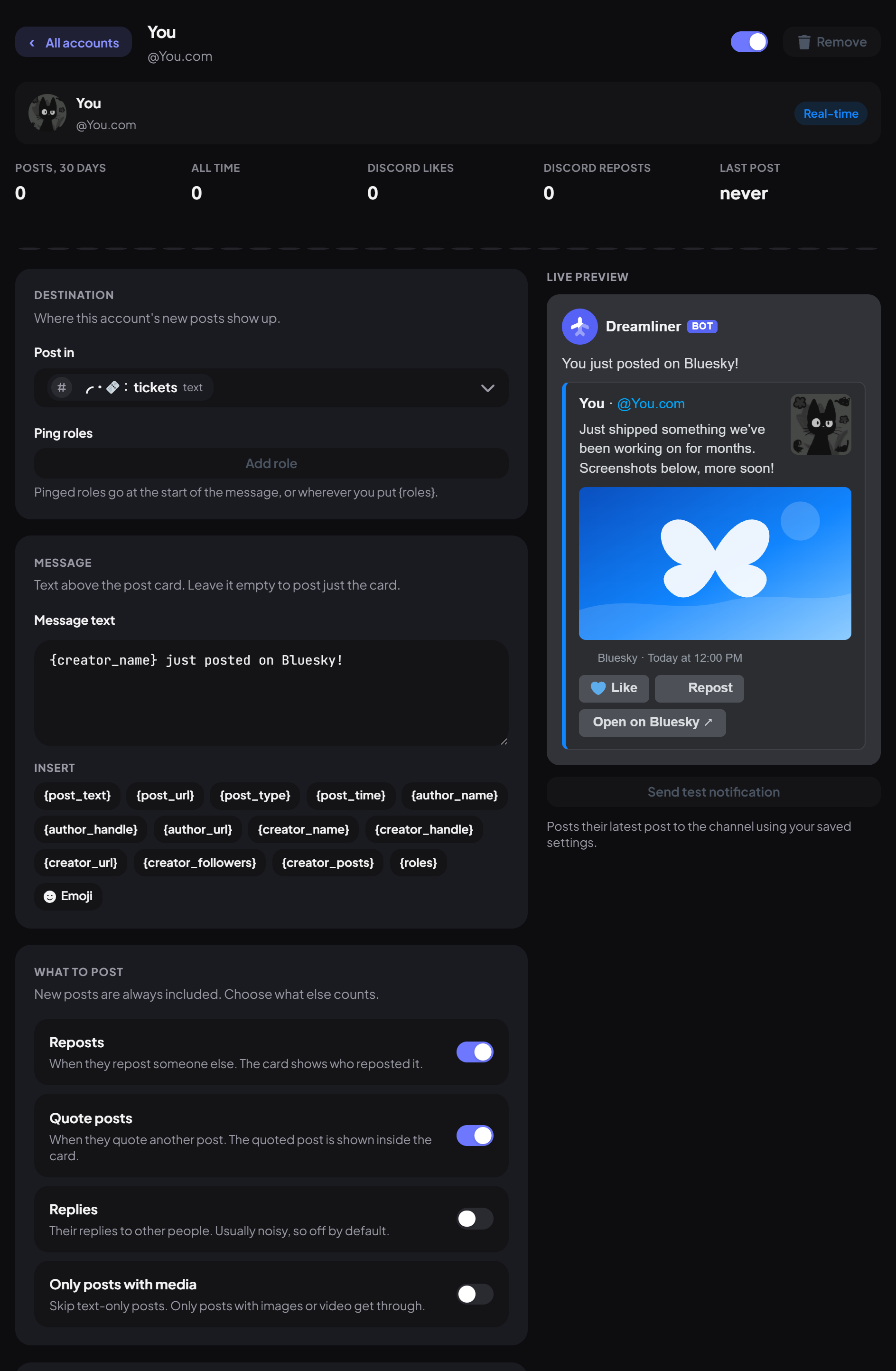
On Accounts, click an account to open its editor. The top shows its own stats: Posts, 30 days, All time, Discord likes, Discord reposts and Last post, with a 30-day chart. The Live preview on the right updates as you edit.
| Setting | What it does | Default |
|---|---|---|
| Post in / Ping roles | Where the posts go, and roles to ping (up to 10). Pings go first, or where you put {roles}. | None |
| Message text | Text above the card. Empty posts just the card. Insert placeholders like {post_url} or {creator_followers} with the chips. | {creator_name} just posted on Bluesky! |
| Reposts / Quote posts | Include the account's reposts and quote posts. | On / On |
| Replies | Include their replies to other people. | Off |
| Only posts with media | Skip text-only posts. | Off |
| Accent color / Show media / Like and Repost buttons | How the card looks, under Card. | Bluesky blue / On / On |
Press Save changes in the editor's Save section, then Send test notification to post the account's latest post with your saved settings.
Step 5 · about 1 min
Celebrate follower milestones (optional)
Post a card when an account grows.
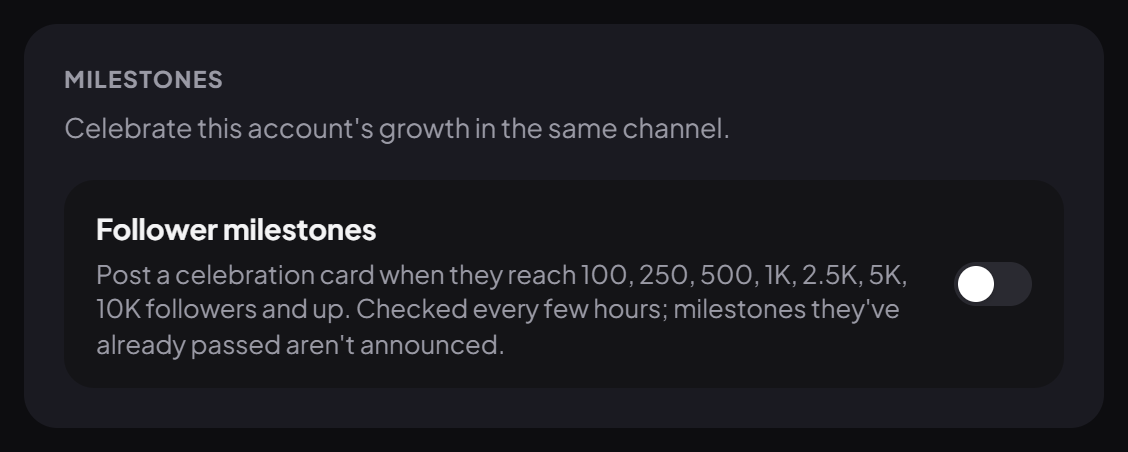
In an account's editor, switch on Follower milestones under Milestones. Dreamliner posts a celebration card in the same channel when the account reaches 100, 250, 500, 1K, 2.5K, 5K, 10K followers and so on, then every million past 1M.
Step 6 · about 1 min
Server-wide options
Choose how members interact.
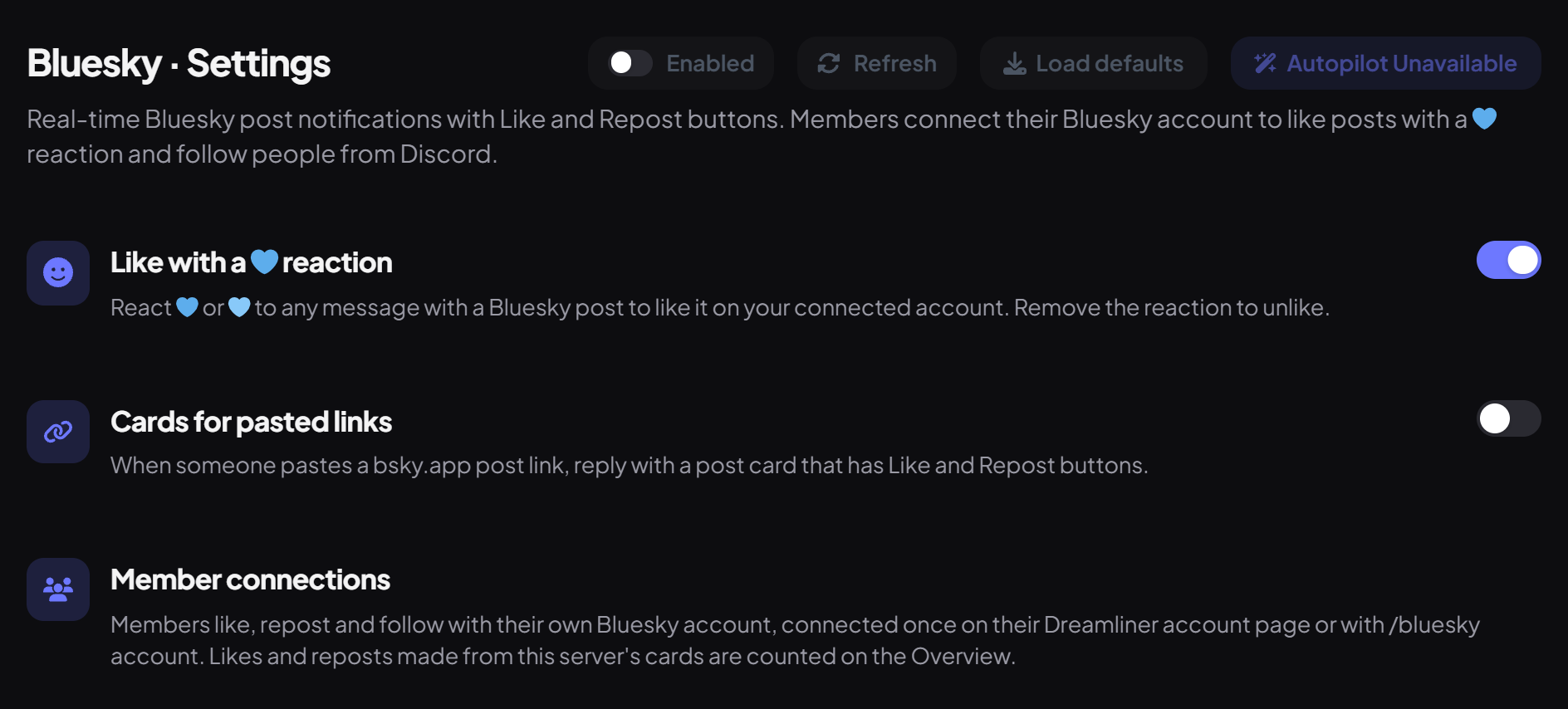
Open the Settings sub-page.
| Option | What it does | Default |
|---|---|---|
| Like with a 💙 reaction | Reacting 💙 or 🩵 to a message with a Bluesky post likes it on that member's connected account. Removing the reaction unlikes it. | On |
| Cards for pasted links | When someone pastes a bsky.app post link, Dreamliner replies with a post card that has Like and Repost buttons. | Off |
Step 7 · about 2 min
Connect your Bluesky account (members)
Like, repost and follow from Discord.
- On the website, open Account → Connections, or run
/bluesky accountin Discord. - Enter your handle and sign in on Bluesky itself. No app password is needed.
Commands
| Command | What it does | Who by default |
|---|---|---|
/bluesky profile | Show a Bluesky profile with a Follow button. | Everyone |
/bluesky account | Connect or manage your Bluesky account. | Everyone |
/bluesky feeds | List the accounts this server follows. | Moderator |
Good to know
- Posts more than a day old aren't announced (reposts of older posts are).
- Card buttons work for 180 days after a card is posted.
- Removing your 💙 only undoes likes Dreamliner made for you.
- Send test notification posts the account's latest post, ignoring your filters.
- Follower counts are checked every few hours. Turning milestones on never announces milestones the account already passed.
- Likes and reposts on the Overview count presses on this server's cards, from the time stats were added.
You're set up
What you just did
- Followed accounts and chose their channels
- Imported a list or starter pack
- Filtered and styled the cards, and set up milestones
- Connected your own Bluesky account
For YouTube and Twitch, see Notifications.
Common questions
Can Dreamliner post to Bluesky for my server?
No. It brings Bluesky posts into Discord, and lets members like, repost and follow.
Like buttons say I need to connect.
Connect your account under Account → Connections, or with /bluesky account.
Read next