
Economy
Give your server its own currency that members earn by chatting and claiming daily rewards, alongside global Coins and collectable plane trading cards.
By the end, you'll have
- Your own server currency with a name and look you choose
- Members earning by chatting and with /daily
- An understanding of global Coins, exchange and trading cards
Before you start
- Manage Server, so you can open the dashboard.
Economy gives members something to collect. Each server has its own currency that only its members can hold, and every Dreamliner user also has global Coins that work everywhere. It's free, and it's just for fun: no real money is involved.
Your own name, symbol and emoji.
Shared across every server with Dreamliner.
Buy packs with Coins and collect planes and airlines.
Step 1 · about 2 min
Brand your currency
Name your server currency.
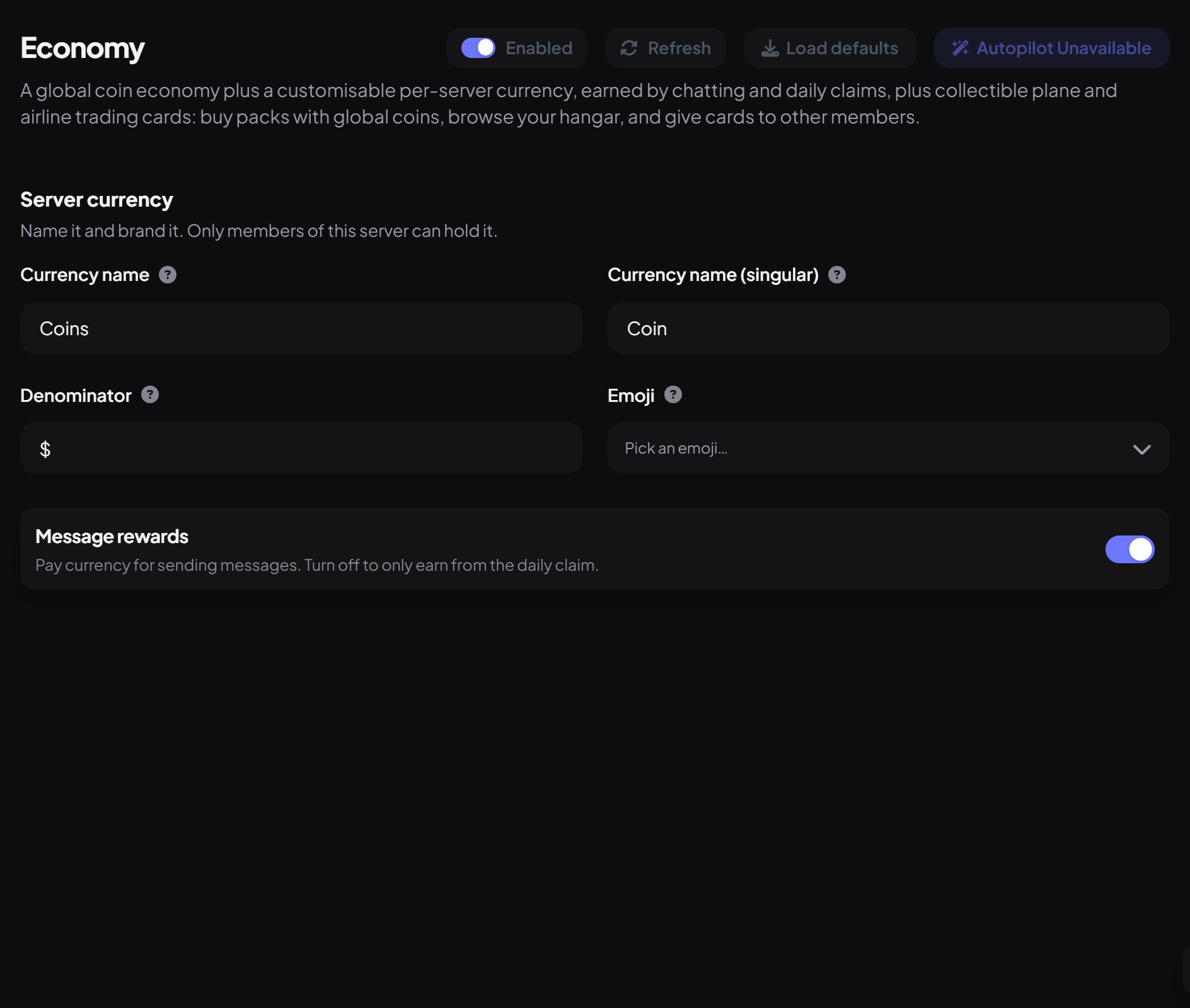
- On the dashboard, open Fun and click Economy. Switch on Enabled.
- Under Server currency, set the Currency name (like "Credits") and Currency name (singular) ("Credit").
- Set the Denominator (the symbol before amounts, like $) and an optional Emoji.
- Leave Message rewards on to pay members for chatting, then press Save.
How members earn
| Way | Server currency | Global Coins |
|---|---|---|
| Chatting | 0.10 per message (every 5 seconds) | 0.15 per message (every minute) |
| /daily | 5 a day | 5 a day |
| Other plugins | Counting milestones, Starboard and giveaway bonuses | - |
Members can turn server currency into global Coins with /exchange at 10 to 1 (100 server currency = 10 Coins), up to 25 Coins a day.
Plane trading cards
Commands
| Command | What it does |
|---|---|
/balance | Check your (or someone's) server or global balance. |
/daily | Claim your daily reward. Streaks continue if you claim within 48 hours. |
/exchange | Turn server currency into global Coins. |
/planes | Buy packs, view and give cards. |
Everyone can use these by default.
- There's no shop, gambling or paying other members, and staff can't edit balances.
- Use {economy_balance} in Welcomer, Tags, Activity Rewards and Birthdays messages to show a member's balance.
- If Economy is off in a server, members there don't earn global Coins from chatting either.
You're set up
What you just did
- Branded your server currency
- Learned how members earn and exchange
- Met the plane trading cards
Put your currency to work: Giveaways can charge an entry cost or give a win bonus.
Common questions
Can members buy things with server currency?
Not from a shop. Server currency can be exchanged for Coins, spent on giveaway entries, and shown off.
Is this real money?
No. Coins and server currency can't be bought or cashed out.
Read next