
Giveaways
Run fair giveaways from the dashboard: schedule them, set entry requirements and bonus chances, pick winners automatically, and let winners claim their prize.
By the end, you'll have
- A giveaway posted, running and ending on its own
- Requirements and bonus entries that keep it fair
- Winners drawn, notified and rerolled when needed
Before you start
- Manage Server, so you can create giveaways on the dashboard.
- Dreamliner with Send Messages and Embed Links in the giveaway channel.
Giveaways are the easiest way to get people excited. Create one on the dashboard and Dreamliner posts it, counts entries, draws winners when time's up and tells them they won. It's free, with no limit.
Start now or schedule it; it ends by itself.
Required roles, account age and blacklists.
Extra weight for boosters or certain roles.
Step 1 · about 2 min
Set your defaults
Choose how every giveaway starts.
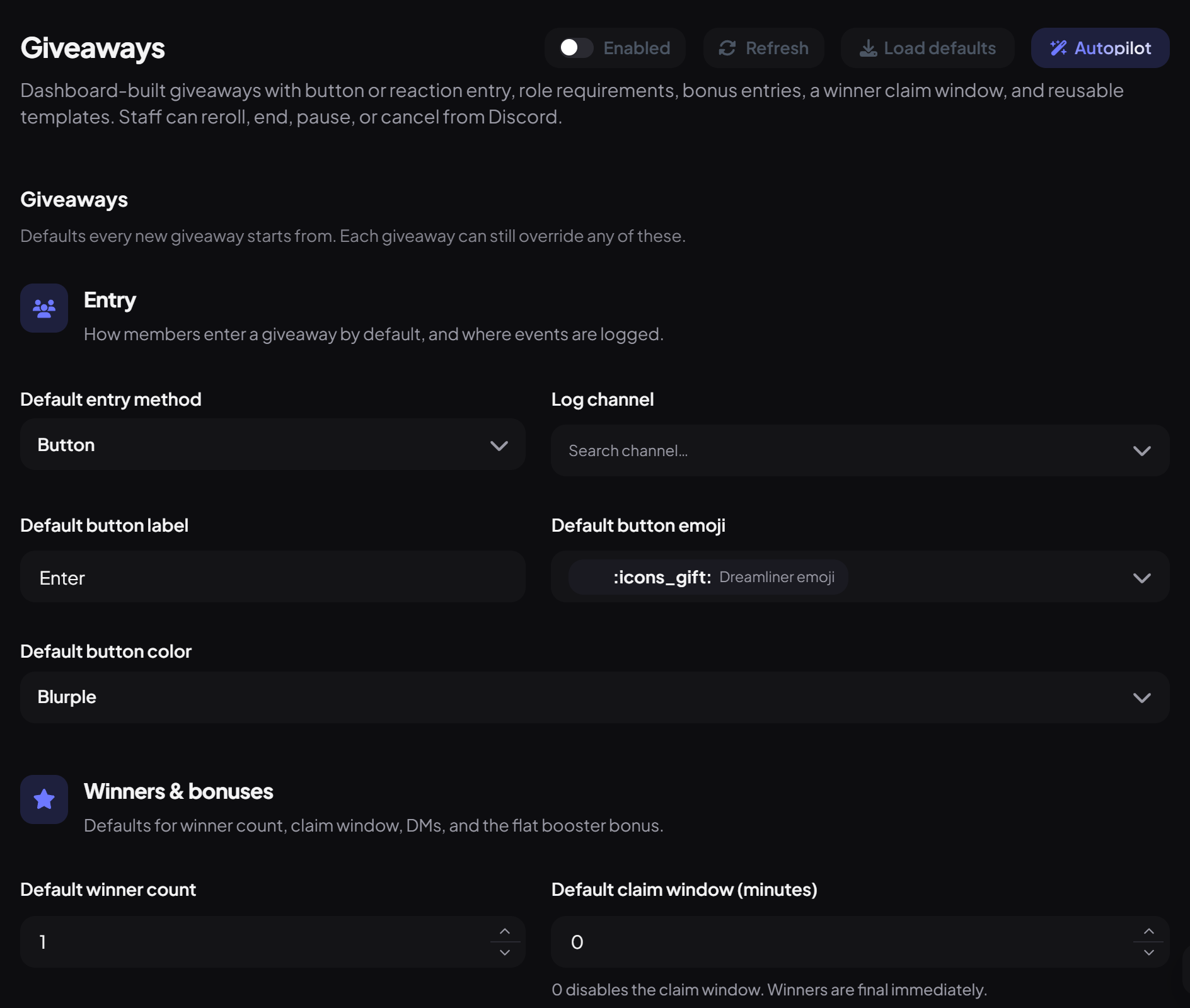
- On the dashboard, open Fun and click Giveaways. Switch on Enabled.
- Under Entry, choose the Default entry method (Button or Reaction), button label, emoji and colour, and a Log channel.
- Under Winners & bonuses, set the default winner count, claim window and whether to DM winners.
- Press Save. Every new giveaway starts from these, and each one can override them.
Step 2 · about 4 min
Create a giveaway
Post your first giveaway.
- Open View Giveaways under Giveaways in the sidebar and press Add Giveaway.
- Under Basics, enter the Title, the Prize and the Channel.
- Under Schedule, choose Start now or Schedule for later, and how long it runs (or a specific end time).
- Set the Winner count, add any requirements, and press Create giveaway.
Step 3 · about 3 min
Add requirements and bonuses (optional)
Keep it fair and reward your community.
| Setting | What it does |
|---|---|
| Required roles | Members need any (or all) of these roles to enter. |
| Blacklisted roles | Members with these roles can't enter. |
| Bypass roles | Members with these roles skip every other check. |
| Min. account age / server-join age (days) | Stops brand-new accounts entering. |
| Bonus role weights | Extra chances for certain roles. The highest matching role counts; everyone else has 1. |
| Booster bonus weight | Extra chances for server boosters, added on top. |
| Entry cost | Server currency to enter (needs Economy). |
| Win bonus | Server currency paid to each winner (needs Economy). |
Winners and claiming
- Members enter with the Enter button (which shows the entry count) or the reaction.
- When it ends, winners are drawn at random, weighted by bonus chances, and DMed if you chose to.
- With a Claim window, winners must press Claim prize in time, or a new winner is drawn automatically.
- Manage each giveaway in View Giveaways: Edit, End now, Pause, Cancel, Reroll, or save it as a template.
Commands
| Command | What it does | Who by default |
|---|---|---|
/giveaway list · info | See giveaways and their details. | Admin |
/giveaway end | End one early. | Moderator |
/giveaway pause · resume | Pause or resume one. | Moderator |
/giveaway reroll | Draw new winners (or replace one). | Moderator |
/giveaway cancel | Cancel one. | Admin |
You're set up
What you just did
- Set your giveaway defaults
- Created and posted a giveaway
- Added requirements, bonuses and claiming
Common questions
Can I create a giveaway with a command?
No, giveaways are created on the dashboard. Commands are for managing them.
Someone says they can't enter.
They'll be told why when they press Enter: usually a required role, account age, or a blacklisted role.
Read next