
Autorole
Give roles to everyone who joins automatically, with separate lists for people and bots and an optional delay for each role.
By the end, you'll have
- New members and bots getting the right roles the moment they join
- Optional delays for roles that should come later
Before you start
- The roles, created in Discord, below Dreamliner's role.
- Dreamliner with Manage Roles.
- Manage Server, so you can open the dashboard.
Autorole hands out roles on join: a Member role for people, a Bots role for bots. It's free and has no limit on roles.
Given to people. Bots never get these.
Given to bots. People never get these.
Give a role straight away, or after a delay.
Step 1 · about 1 min
Open Autorole and turn it on
Find the page and its two sub-pages.
- On the dashboard, open Roles in the sidebar and click Autorole. This opens its overview.
- Switch on Enabled at the top and press Save changes in the bar at the bottom.
- Under Roles on join, click the Humans or Bots card, or the sub-page with the same name under Autorole in the sidebar.
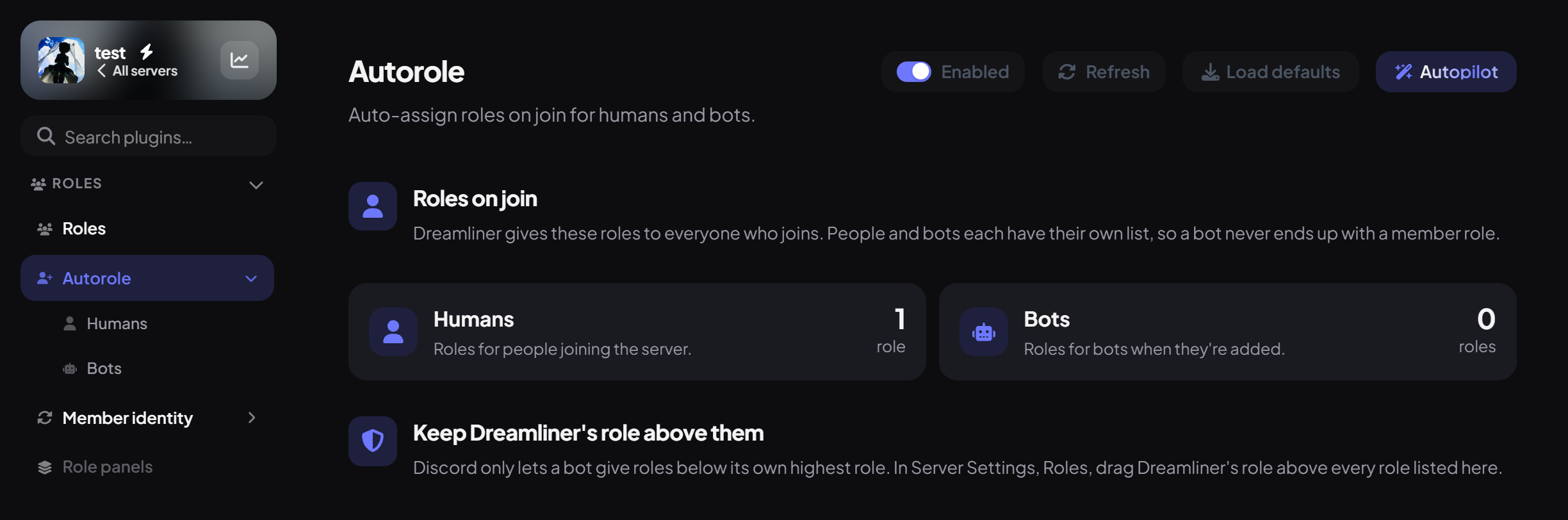
Each card shows how many roles that list gives, and how many of them wait before they're given. Below the cards, Keep Dreamliner's role above them is a reminder that Discord only lets a bot give roles below its own highest role.
Step 2 · about 2 min
Add roles
Choose what new members (and bots) get.
- On the Humans sub-page, press Add role.
- In the new row, pick the role under Role.
- Under Wait after joining, leave it at 0 to give the role straight away, or type how many seconds to wait (60 is 1 minute, 600 is 10 minutes).
- Do the same on the Bots sub-page if you want a role for bots, then press Save changes.
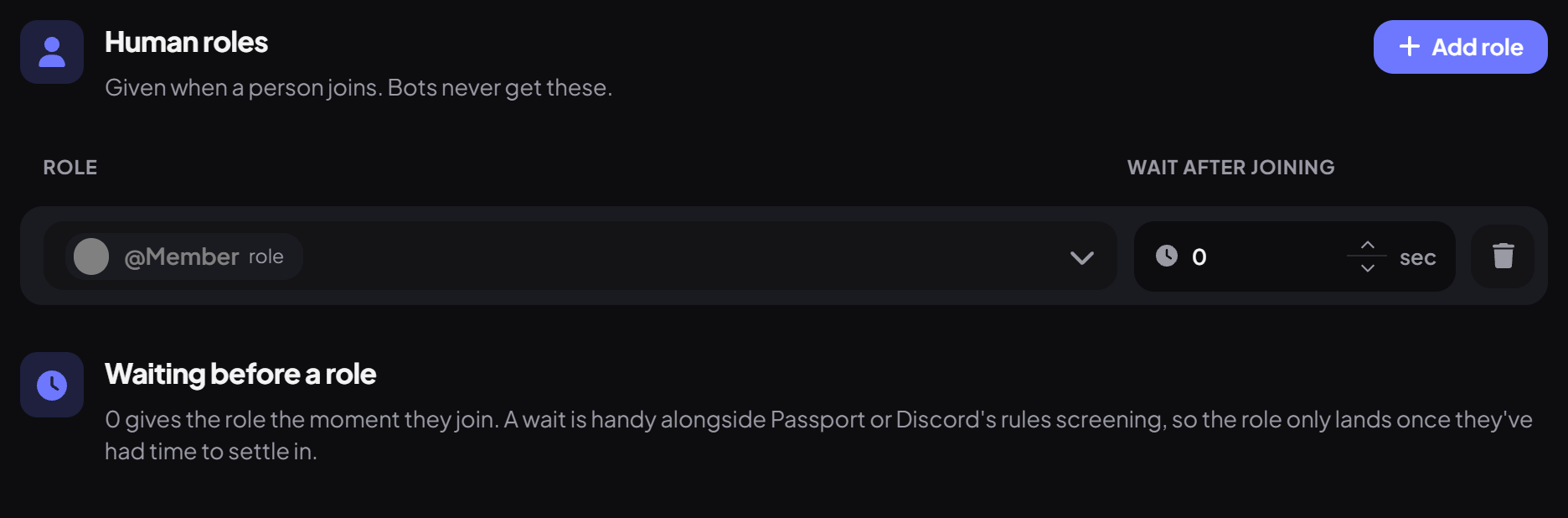
To remove a role, use the bin icon at the end of its row. A wait is handy alongside Passport or Discord's rules screening, so the role only lands once people have had time to settle in.
Good to know
- Roles with staff permissions, managed roles and roles above Dreamliner are skipped for safety.
- Delayed roles are lost if Dreamliner restarts before the delay ends, so keep delays short.
- Autorole doesn't wait for Passport verification. For roles after verifying, use Passport's Roles granted on verify.
- Returning members can also get their old roles back with Member identity.
You're set up
What you just did
- Turned Autorole on and found the Humans and Bots sub-pages
- Added roles for people and bots
- Set an optional wait for each role
Bring back returning members' roles with Member identity.
Common questions
New members aren't getting the role.
Make sure the role is below Dreamliner's highest role, isn't a staff role, and Dreamliner has Manage Roles.
Read next