
Member identity
Remember members' nicknames, roles and timeouts when they leave and give them back when they return, plus look up anyone's name history.
By the end, you'll have
- Returning members getting their roles and nickname back
- Mutes that can't be dodged by leaving and rejoining
- A searchable history of members' name changes
- An identity card each member can open with /identity
Before you start
- Dreamliner with Manage Roles and Manage Nicknames (and Moderate Members to restore timeouts).
- Manage Server, so you can open the dashboard.
When someone leaves and comes back, they normally lose everything: their roles, their nickname, even a timeout. Member identity remembers those and puts back the parts you choose. It's free.
Roles, nickname and remaining timeout.
See every nickname and username change.
Search old and new names on the dashboard.
Step 1 · about 2 min
Choose what's saved and restored
Turn on role and nickname restore.
- On the dashboard, open Roles and click Member identity.
- Switch on Enabled at the top.
- Under What gets saved, choose when Dreamliner takes a snapshot of a member.
- Under Restore on rejoin, pick what comes back: Roles, Nickname and Timeout.
- Set When to restore, then press Save changes.
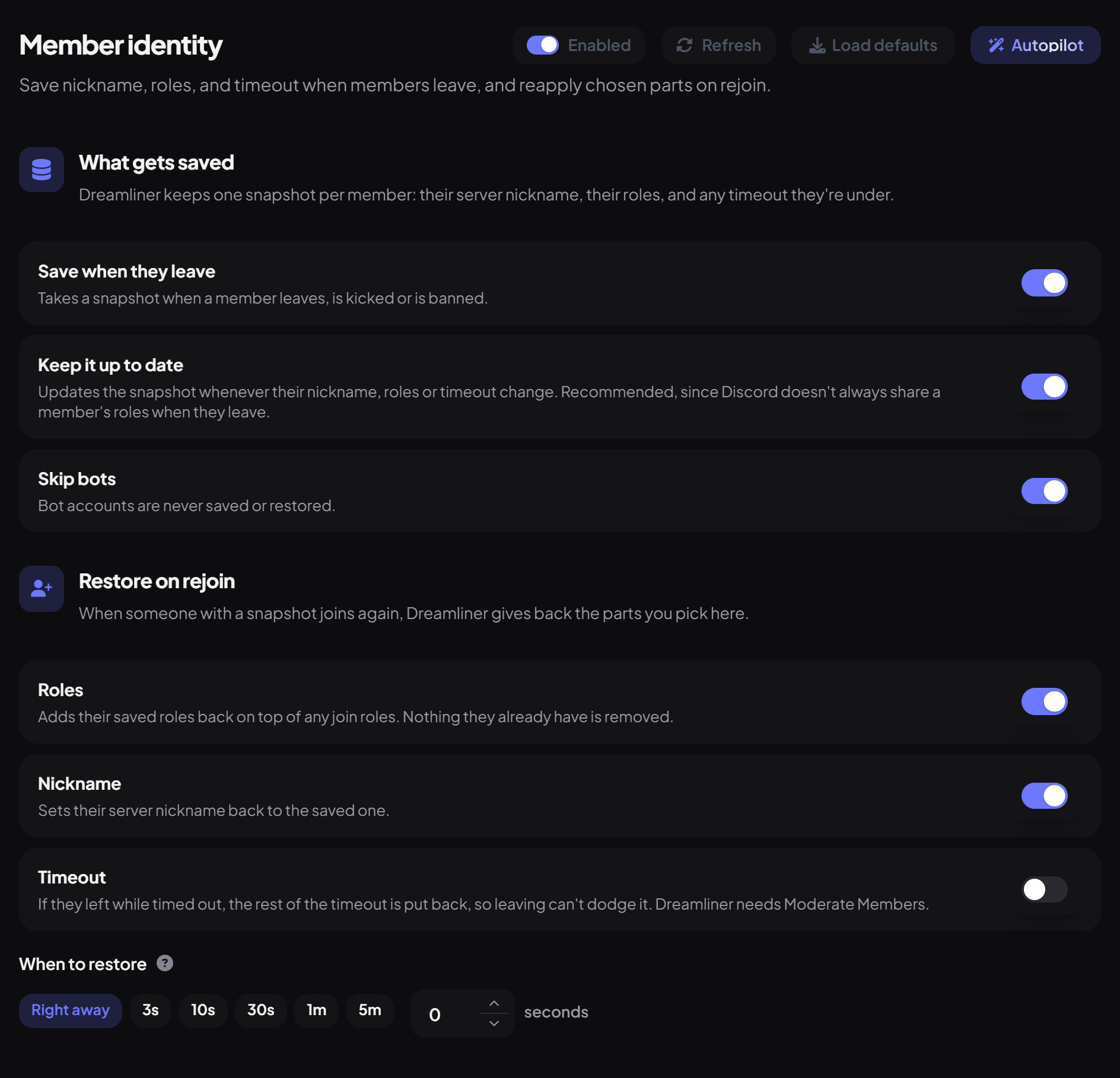
| Setting | What it does | Default |
|---|---|---|
| Save when they leave | Takes a snapshot when a member leaves, is kicked or is banned. | On |
| Keep it up to date | Updates the snapshot whenever their nickname, roles or timeout change. Recommended, since Discord doesn't always share a member's roles when they leave. | On |
| Skip bots | Bot accounts are never saved or restored. | On |
| Roles | Adds their saved roles back on top of any join roles. Nothing they already have is removed. | On |
| Nickname | Sets their server nickname back to the saved one. | On |
| Timeout | Puts back the rest of a timeout they left during, so leaving can't dodge it. Needs Moderate Members. | Off |
| When to restore | How long to wait after they join: Right away, 3s, 10s, 30s, 1m, 5m, or exact seconds up to 5 minutes. Handy if another join step, like Autorole, should go first. | Right away |
Step 2 · about 1 min
Keep some roles off
Stop staff, mute or temporary roles from coming back.
The Roles that stay off section only matters while Roles is on under Restore on rejoin.
- Under Never restore, press Add role and pick each role that should never be handed back.
- Switch on Username history if you want username changes recorded too (more in the next step), then press Save changes.
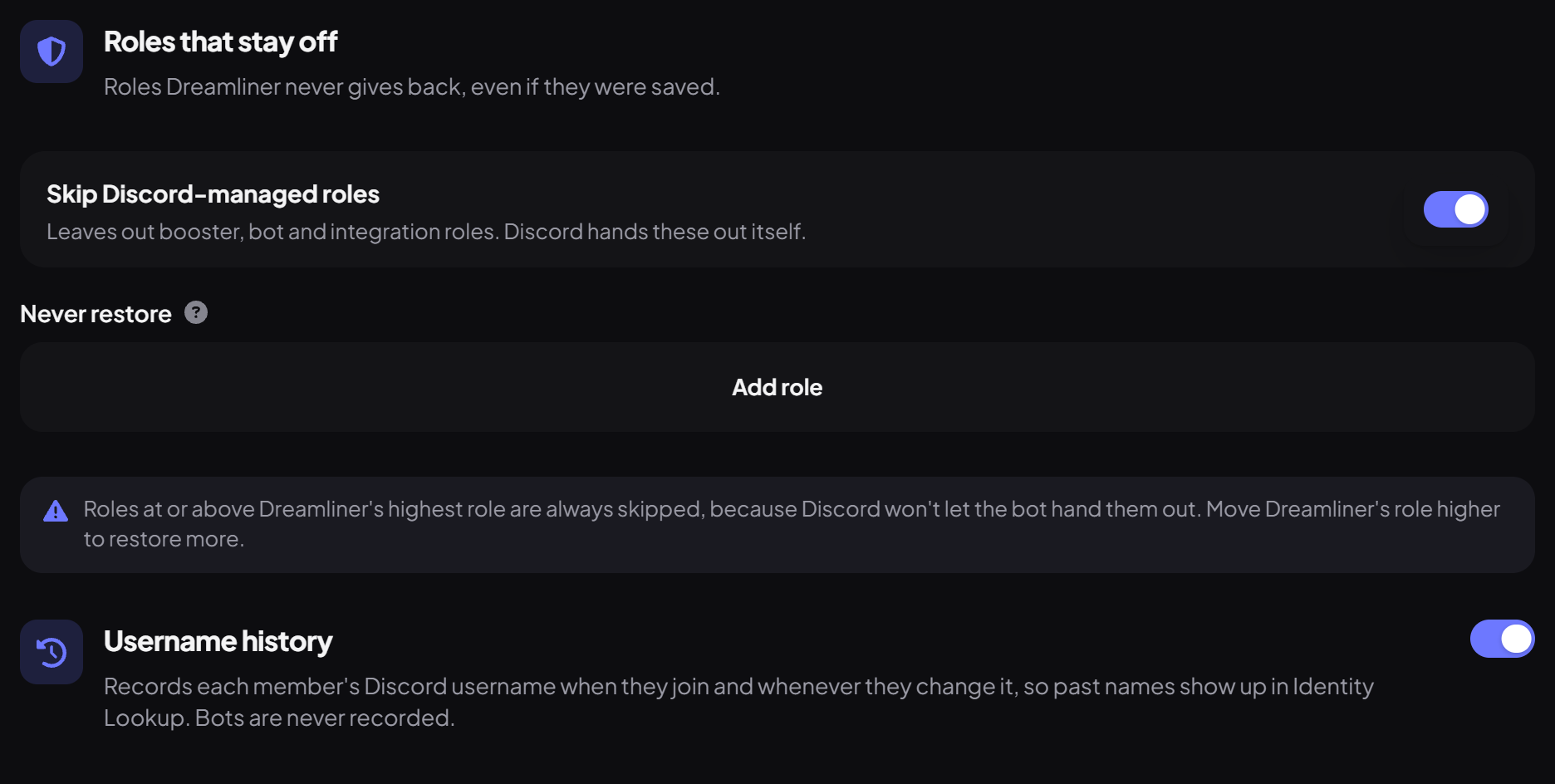
- Skip Discord-managed roles (on by default) leaves out booster, bot and integration roles, since Discord hands those out itself.
- Roles at or above Dreamliner's highest role are always skipped, because Discord won't let the bot hand them out. Move Dreamliner's role higher to restore more.
- Never restore is good for temporary roles, like event or giveaway roles.
Step 3 · about 1 min
Let members check their identity card
See what Dreamliner saved about someone, and what would come back.
Every member can see their own identity card, and anyone else's in the same server. It's a quick way to answer "will I get my roles back if I leave?" without asking staff.
- In Discord, run
/identity. Leave user empty for your own card, or pick a member to open theirs. Anyone can use it while Member identity is on. - Dreamliner replies privately with an Open identity card button. It opens the card on the Dreamliner website.
- Sign in with Discord if you're asked. Cards only open for servers you're in right now.
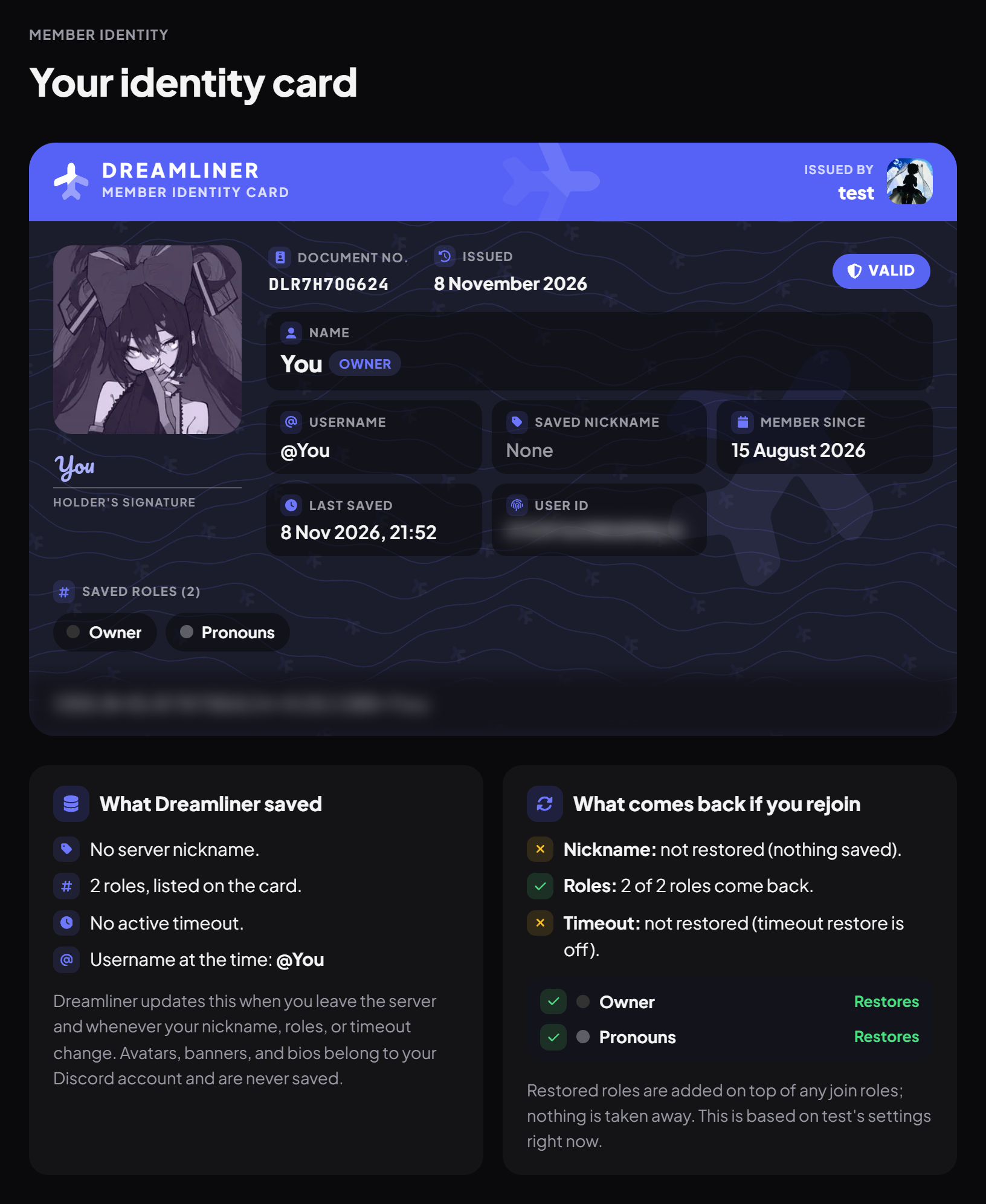
The card shows:
- The server that issued it, the member's avatar, name and username, their saved nickname, when they joined (Member since) and when the snapshot was last saved, plus a timeout if one is still running.
- A status: Valid while they're in the server, Left once they've gone, and their saved roles.
- What Dreamliner saved and What comes back if you rejoin below the card, worked out from your server's settings right now. Each saved role is listed there as Restores or with the reason it won't, like the role was deleted, it's in Never restore, it's managed by Discord, it's above Dreamliner's role, or role restore is off. Change a setting on the dashboard and the card follows.
- Look up another member, where you can paste a Discord user ID and press View card, and a My card button to jump back to your own.
Step 4 · about 1 min
Look up name history
Find out who someone used to be.
Open Identity Lookup under Member identity in the sidebar. Pick a member, or search by an old or new name, to see their nickname and username changes.
- The Username history switch records each member's Discord username when they join and whenever they change it. Bots are never recorded, and turning it off keeps the names already recorded.
- Nickname changes are recorded by the Name history plugin, which you switch on in your server's plugin list.
- Moderators can also use /names user and /names search in Discord.
You're set up
What you just did
- Chose what's saved and what's restored on rejoin
- Kept staff and mute roles off with Never restore
- Showed members their identity card with /identity
- Turned on Username history and learned Identity Lookup
Common questions
A returning member didn't get their roles back.
Their details may not have been saved if they left while Dreamliner couldn't see them. Keep Keep it up to date on so details are always current. Also check the role isn't in Never restore and sits below Dreamliner's highest role.
Is there a command?
Member identity works automatically. /identity opens a member's identity card, and /names shows name history.
Read next