
Reviews
Let members rate your server from 1 to 5 stars with written feedback, posted publicly or anonymously, with rules so only real members can review.
By the end, you'll have
- Members reviewing your server with /review submit
- Rules that keep reviews genuine
- A channel of public reviews
Before you start
- A channel for reviews.
- Manage Server, so you can open the dashboard.
Reviews collect honest feedback from your members: a star rating and a few words. Show them off in a channel, keep them for your team, and track your average rating. It's free.
1 to 5 stars
Plus written feedback.
Genuine only
Minimum messages, account age and time in the server.
Anonymous option
Hide reviewers' names in public posts.
Step 1 · about 3 min
Turn on reviews
Choose where reviews are posted and who can leave one.
- On the dashboard, open Support and click Reviews. Switch on Enabled.
- Set the Review Channel where reviews are posted.
- Adjust the rules below, then press Save.
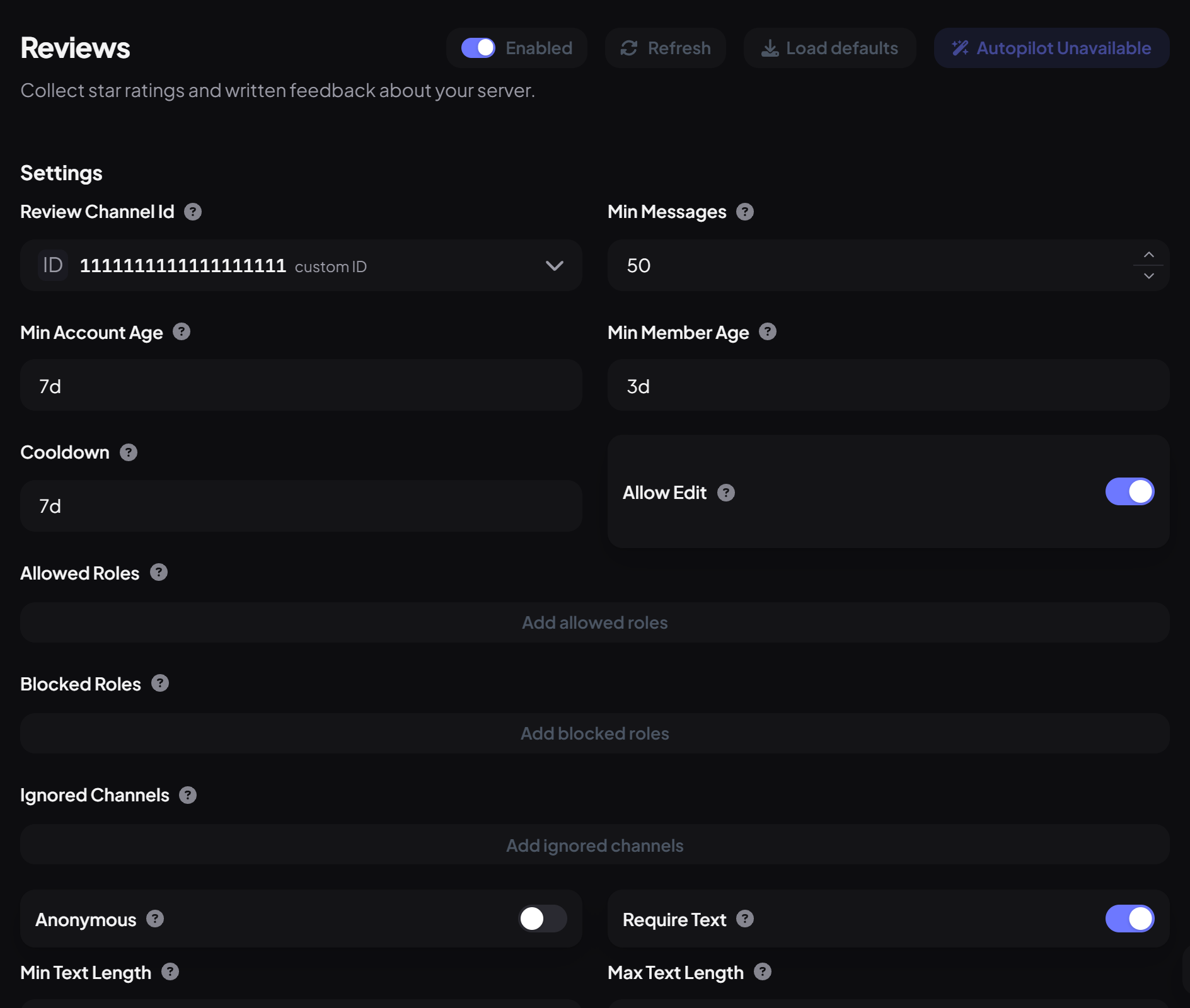
| Setting | What it does | Default |
|---|---|---|
| Min Messages | Messages a member needs before reviewing. | 50 |
| Min Account Age / Min Member Age | How old their account is / how long they've been in the server. | 7 days / 3 days |
| Cooldown | How long before a member can change their review. | 7 days |
| Allow Edit | Members can update their review. | On |
| Allowed / Blocked Roles | Limit who can review. | Everyone |
| Anonymous | Hides reviewers' names in public posts. | Off |
| Require Text / Min / Max Text Length | Whether feedback is required, and how long it must be. | On / 20 / 1,000 |
How it works
- Members run /review submit, pick a rating and write their feedback.
- The review is posted as a card in your review channel. Editing it updates the card.
- Each member has one review at a time.
- View Reviews on the dashboard lists every review with filters and the average rating.
| Command | What it does | Who by default |
|---|---|---|
/review submit | Leave or update your review. | Everyone |
/review list · stats | See recent reviews and the average. | Moderator |
/review delete | Remove a review and its post. | Moderator |
You're set up
What you just did
- Chose the review channel and rules
- Learned how members review and how staff manage reviews
Common questions
A member says they can't review.
They'll be told why: usually not enough messages, a new account, or a cooldown.
Read next
SuggestionsCollect ideas from your community with /suggest: review them first or post them straight away, let members vote and discuss, and mark progress as you go.13 min read · 2 stepsTickets & AI ResponderGive members a private way to reach your team: ticket panels with categories and forms, claiming, transcripts and escalation, plus an AI Responder that answers common questions first.20 min read · 4 steps