
Infractions
Warn, mute, kick and ban with commands that keep a numbered case for everything, DM the member, log it for your team and can escalate repeat offenders automatically.
By the end, you'll have
- Your moderators warning, muting, kicking and banning with commands, every action saved as a case
- Punishment DMs, required reasons and default durations set up the way your server works
- A moderation log, the Cases page for reviewing history, and optional automatic escalation
Before you start
- Dreamliner's role above the members it should moderate. See Add Dreamliner to your server.
- Your moderator and admin Discord roles linked to Dreamliner Roles. See Set up staff permissions.
- Manage Server, so you can open the dashboard.
Infractions is the heart of moderation in Dreamliner. Every warning, mute, kick and ban becomes a case: a permanent, searchable record of what happened, who did it and why. That history is what lets your team spot repeat offenders, explain decisions and let members appeal.
Numbered, searchable and editable, in Discord and on the dashboard.
A DM explains what happened and why, sent before a kick or ban so it still arrives.
Optional ladder: three warnings become a mute, five become a ban.
Step 1 · about 1 min
Turn Infractions on
Enable the plugin so the commands work.
Infractions starts switched off, so the moderation commands don't work until you turn it on.
- Open your server on the dashboard, open Moderation in the sidebar and click Infractions.
- Switch on Enabled at the top of the page and press Save in the save bar.
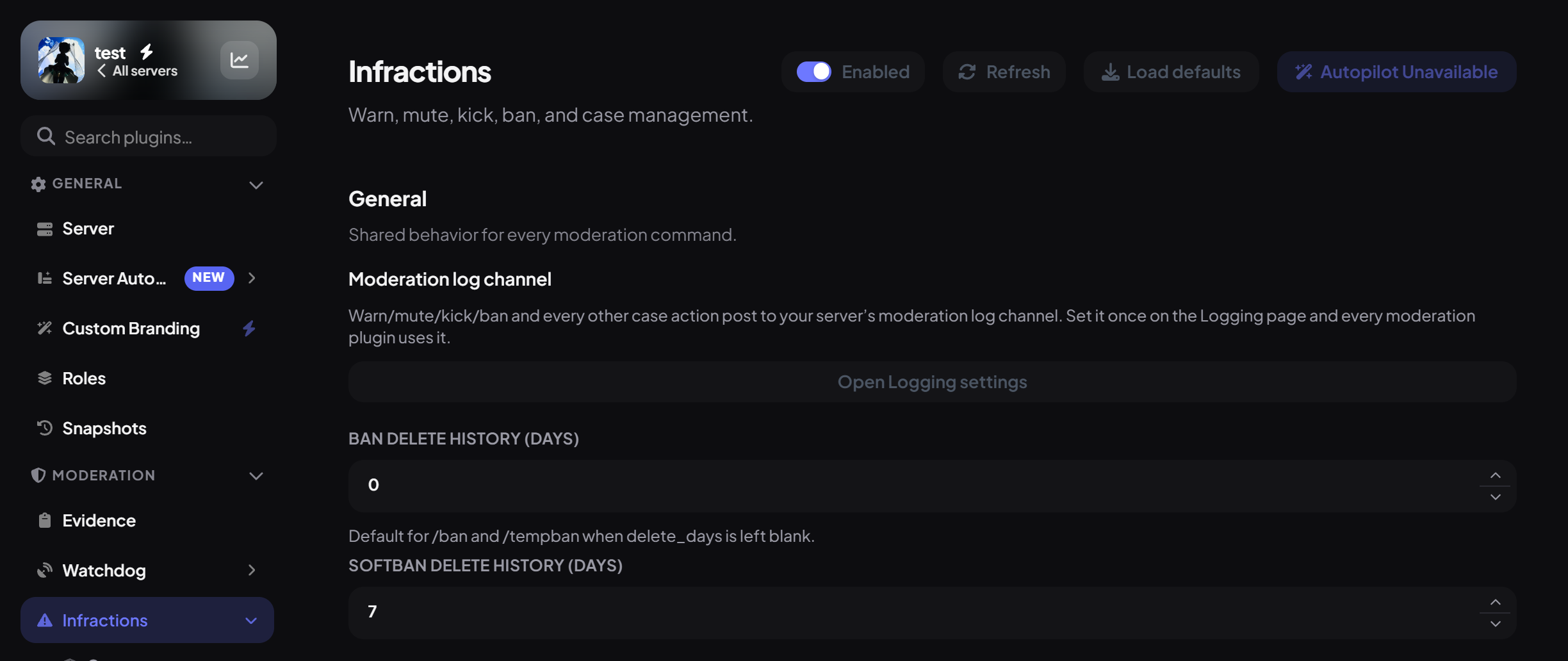
While you're on the plugin, a Cases item appears under it in the sidebar. That's where your moderation history lives (step 7).
Step 2 · about 1 min
Check Dreamliner can actually punish
Avoid the most common reason a mute or ban fails.
Discord has to allow each action for both the moderator and Dreamliner:
| Action | Dreamliner and the moderator both need |
|---|---|
| Mute / unmute | Moderate Members (Discord's timeout permission) |
| Kick | Kick Members |
| Ban, tempban, softban, unban | Ban Members |
| Warn, note | Nothing extra |
Step 3 · about 3 min
Learn the moderation commands
Know which command to use for what.
Each command takes the member, an optional reason, and sometimes a duration. Run any of them and you get a reply titled with the case number.
| Command | What it does |
|---|---|
/warn | Records a warning and DMs the member. Nothing else happens to them. |
/note | A private staff note on someone's record. Never DMs them. |
/mute | Times them out using Discord's timeout, for up to 28 days. Ends by itself. |
/unmute | Ends a timeout early. |
/kick | Removes them from the server. They can rejoin with an invite. |
/ban | Bans permanently, optionally deleting up to 7 days of their messages. Works on people who already left. |
/tempban | Bans for a set time, then Dreamliner unbans them automatically. |
/softban | Bans and immediately unbans, to wipe their recent messages. Acts like a kick. |
/unban | Unbans by user ID. |
Step 4 · about 3 min
Configure each punishment type
Set required reasons, default durations and the DM members get.
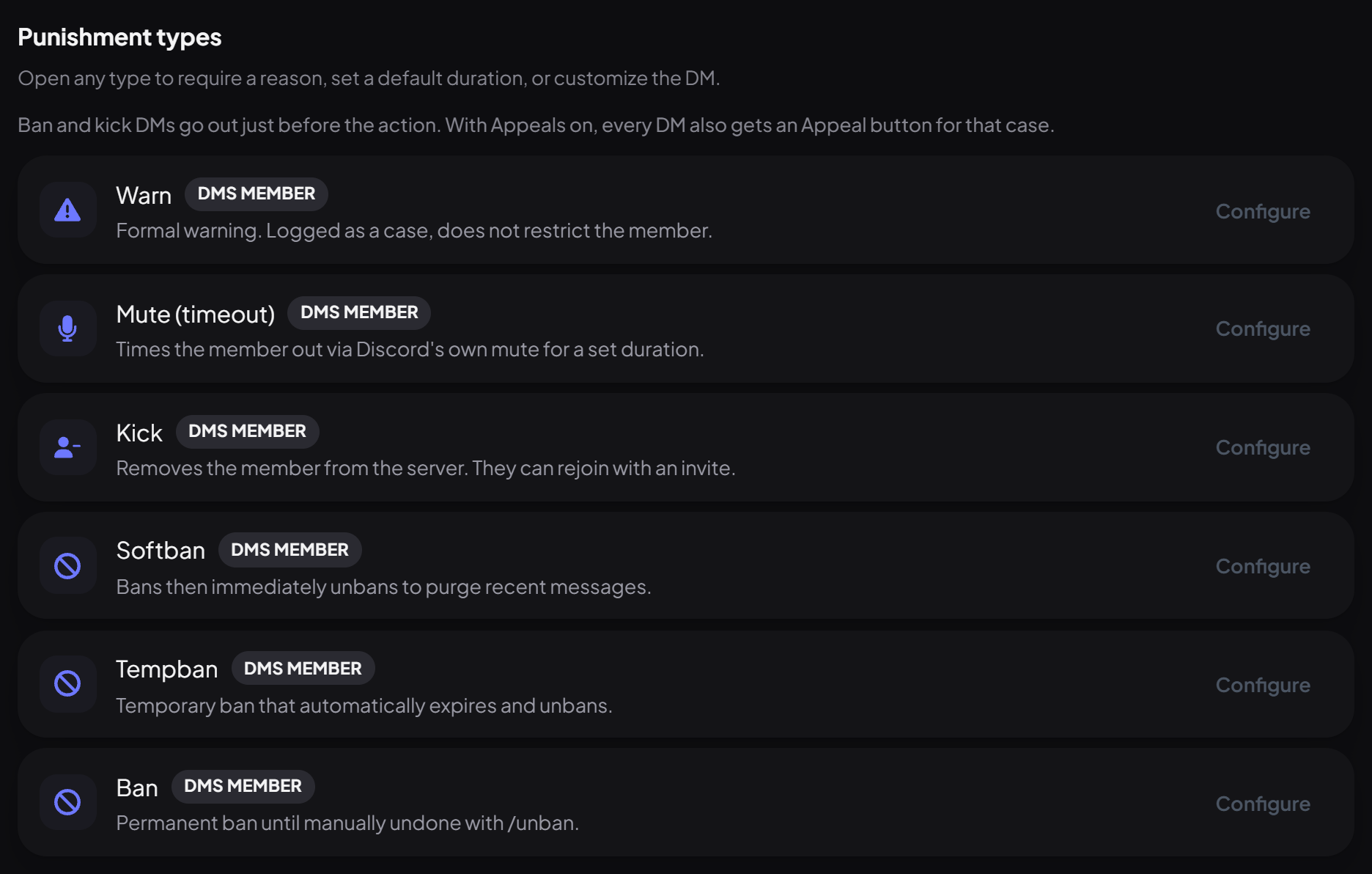
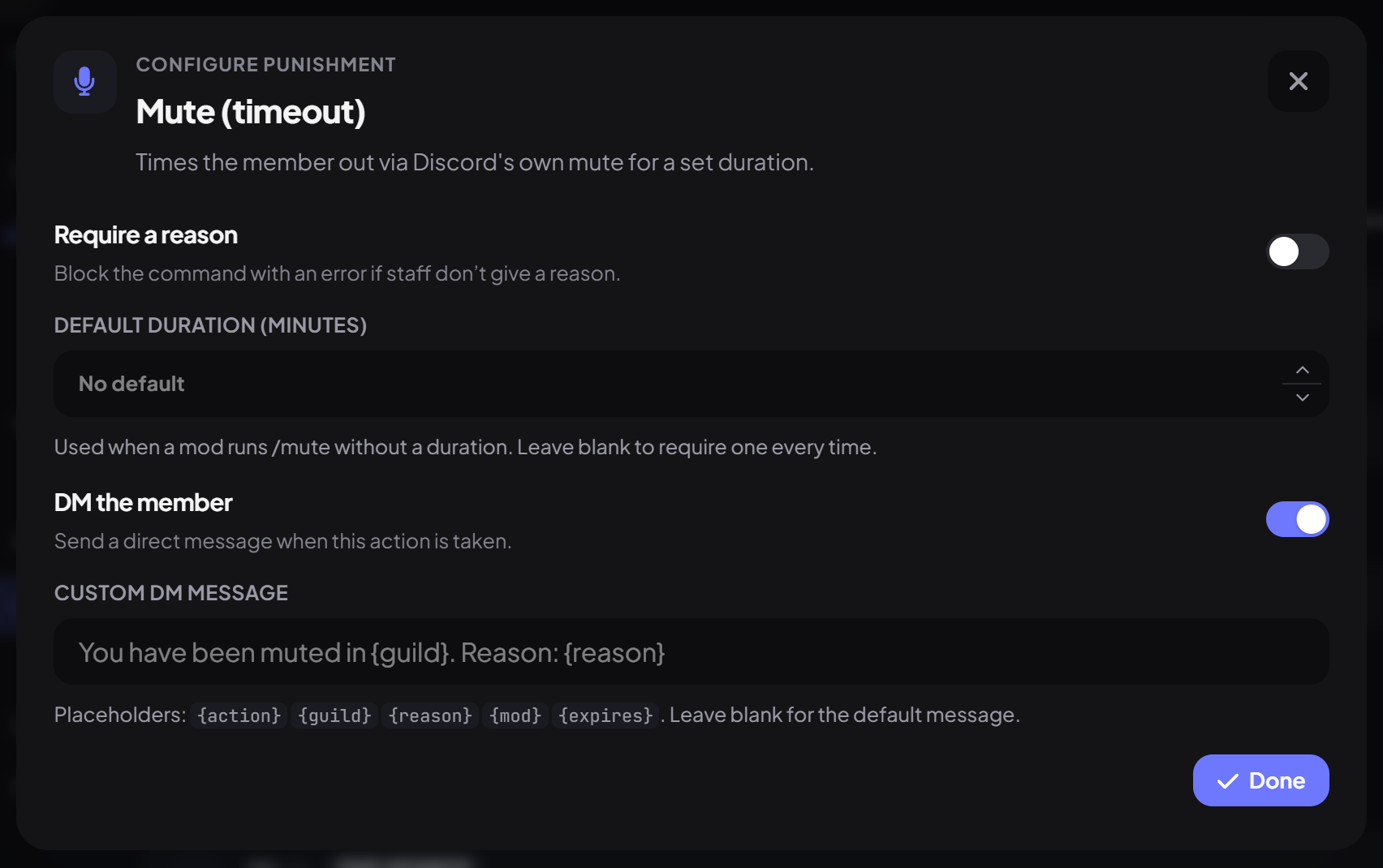
Under Punishment types there's a row for Warn, Mute (timeout), Kick, Softban, Tempban and Ban. Each row shows its current setup, like "Reason required", "DMs member" or a default duration. Press Configure on a row to change it:
| Setting | What it does | Default |
|---|---|---|
| Require a reason | The command refuses to run without a reason. | Off |
| Default duration (minutes) / (hours) | Mute and Tempban only. Used when a moderator leaves the duration out. | None |
| DM the member | Sends them a message about the action. | On |
| Custom DM message | Your own wording instead of the standard message, up to 400 characters. | Standard message |
Custom DM messages can use {action}, {guild}, {reason}, {mod} and {expires}. Press Done, then Save.
Step 5 · about 2 min
Set the shared options
Decide how much message history bans delete, and where cases are logged.
In the General section:
| Setting | What it does | Default |
|---|---|---|
| Ban delete history (days) | How many days of messages /ban and /tempban delete when the moderator doesn't choose (0–7). | 0 |
| Softban delete history (days) | How many days /softban deletes (0–7). | 7 |
| Moderation log channel | Press Open Logging settings to choose where cases are posted. | Not set |
Step 6 · about 3 min
Escalate repeat offenders automatically (optional)
Turn repeated warnings into mutes or bans without anyone having to remember.
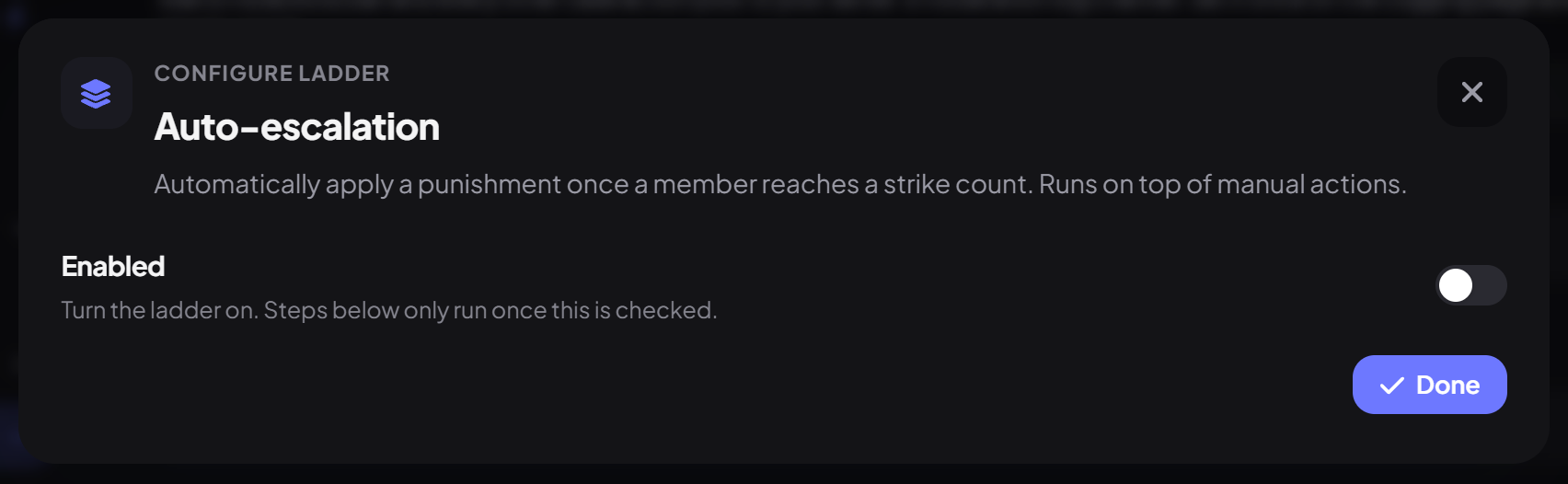
Under Automation, press Configure on Auto-escalation. It's a ladder: when someone's case count reaches a number, Dreamliner applies the next punishment for you.
- Switch on Enabled.
- Under Strikes, pick what Counts toward strikes. Warns only is the usual choice.
- Set Count within (minutes) to only count recent cases. For example, 43,200 minutes is 30 days. Use 0 to count every case ever.
- Under Steps, press Add step for each rung: the number of Strikes, the Punishment and, for mutes and tempbans, how long.
- Press Done and Save.
| Strikes | Punishment | Example |
|---|---|---|
| 3 | Mute | 60 minutes |
| 5 | Tempban | 24 hours |
| 7 | Ban | Permanent |
Step 7 · about 2 min
Review and edit cases
Find any case, fix a reason, attach evidence, or share it.
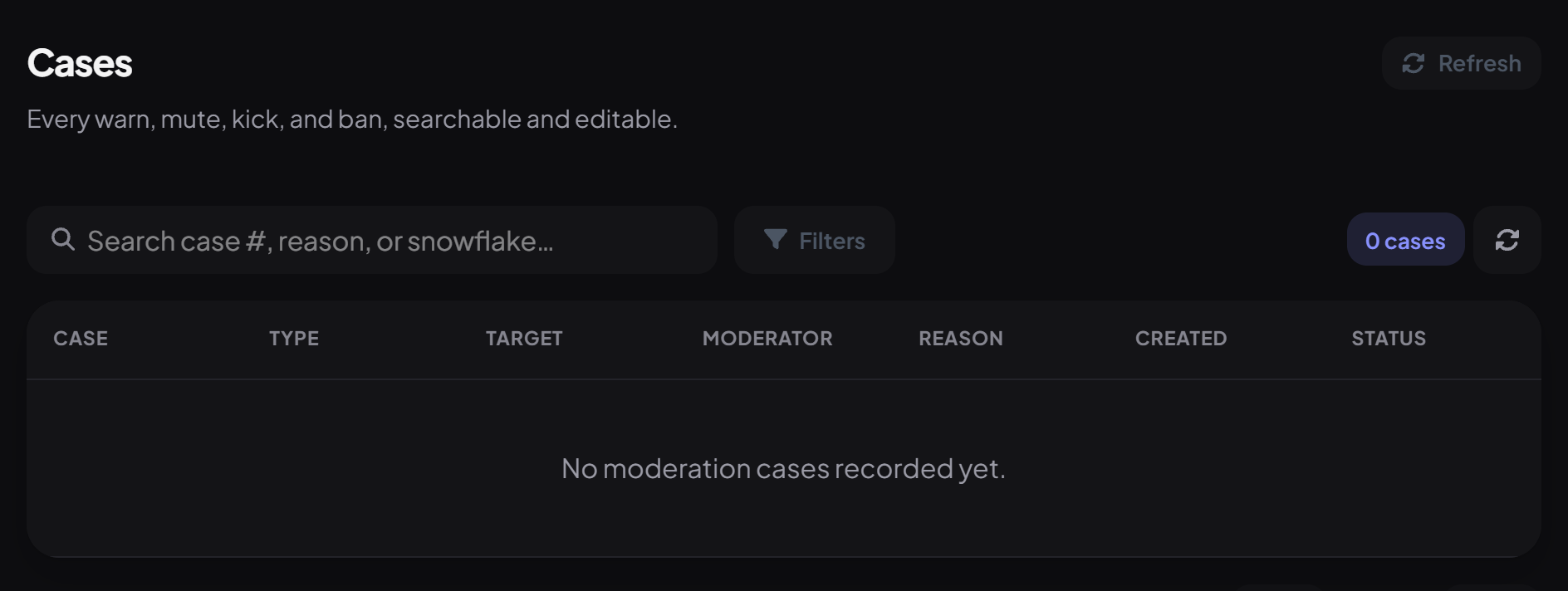
Click Cases under Infractions in the sidebar. Every warn, mute, kick and ban is listed with its case number, type, target, moderator, reason, date and status.
- Search by case number, reason text or a user ID, or open Filters to narrow by type, status, member or moderator.
- Click a case to see everything about it: the reason (editable), when it expires, and the member's last 20 messages captured as evidence.
- Press Upload screenshot to attach proof (PNG, JPEG, GIF or WebP, up to 8 MB).
- Press Make public to get a shareable link to the case, handy for appeals or transparency. Unpublish takes it down again.
The same is possible in Discord:
| Command | What it does |
|---|---|
/infraction view | Shows one case. |
/infraction search | Finds up to 15 cases by number, user ID or reason, optionally filtered by type. |
/infraction reason | Changes a case's reason. |
/infraction duration | Changes how long an active mute or ban lasts, counted from when it was given. |
/infraction delete | Deletes a case. Only possible in Discord. |
/evidence add | Saves a member's recent messages (up to 50) as evidence. |
Step 8 · about 2 min
Decide who can do what
Give each team exactly the moderation powers it needs.
Each command has its own permission, granted to Dreamliner Roles on the Roles page. Out of the box:
| Built-in role | Gets by default |
|---|---|
| Moderator | Warn, note, mute and unmute, kick, view cases, edit reasons, edit durations |
| Admin | Ban, tempban, unban, softban, delete cases |
| Member | None |
Remember Admin Bypass: the owner and anyone with Administrator or Manage Server can always use everything. See Set up staff permissions.
Step 9 · about 2 min
Test it on a spare account
See the whole flow from a member's side.
- As a moderator, run
/warnon a test account with a reason. You get a reply with the case number. - Check the test account's DMs for the warning message, and your moderation log channel for the case.
- Run
/mutewith 2m, then watch the timeout end by itself. The case closes automatically. - Open InfractionsCases on the dashboard and find both cases.
You're set up
What you just did
- Turned Infractions on and checked Dreamliner can moderate
- Configured reasons, durations and DMs for each punishment, plus where cases are logged
- Set up escalation if you wanted it, learned the Cases page and gave each team the right powers
Punished members deserve a way to ask for a second look. Appeals adds an Appeal button to every punishment DM and a review queue for your team.
Common questions
"I cannot moderate that member (role hierarchy)"
Dreamliner's role is at or below the member's highest role. Move Dreamliner's role above them in Server Settings → Roles.
"No duration given and no server default is configured"
Add a duration to the command (like 10m), or set a default under Punishment types → Mute (timeout) → Default duration.
The member didn't get a DM.
They probably have DMs from server members turned off. The action still happened, and your log records that the DM failed. People who aren't in the server never get DMs.
Can I punish someone who already left?
Yes for bans, warnings and notes: use their user ID. They won't get a DM, since they're not a member any more.
Do warnings expire?
Warnings stay on record. For escalation, use Count within (minutes) so only recent cases count toward the next step.
Is any of this paid?
No. Every command, the Cases page, evidence and escalation are free.
Read next