
Utility
Dreamliner's everyday toolbox: info lookups, member search, /clean, voice and nickname tools, emoji tools, message link previews and more.
By the end, you'll have
- A tour of every utility command
- Message link previews and thread joining set the way you like
Before you start
- Manage Server, so you can open the dashboard.
Utility is the only plugin that's on from the start, because it holds the commands you'll use every day, including /help.
Look things up
Users, roles, channels, messages, invites and IDs.
Staff tools
/clean, member search, voice moves and nicknames.
Link previews
Pasted message links are shown as a preview.
Settings
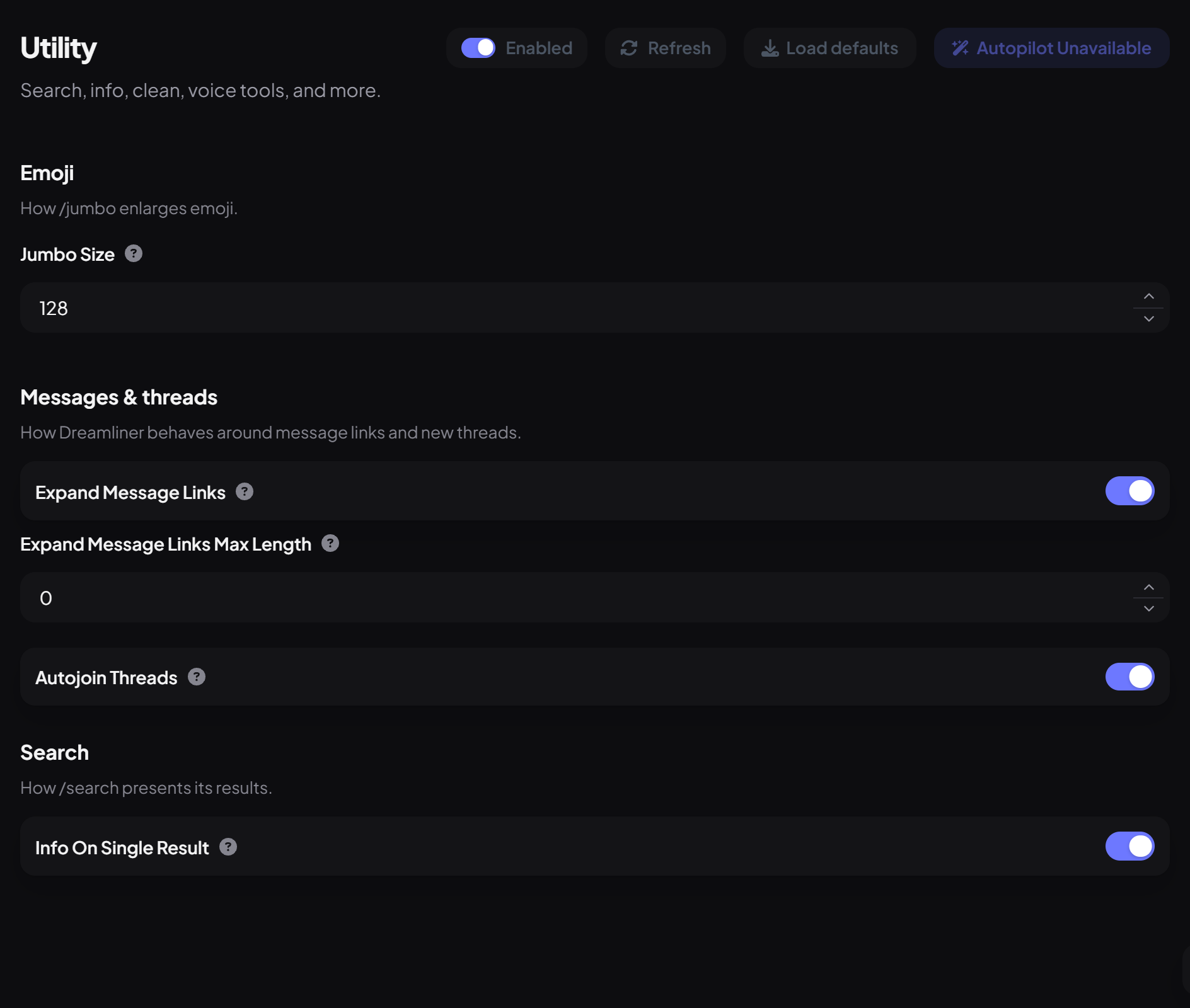
| Setting | What it does | Default |
|---|---|---|
| Jumbo Size | How big /jumbo makes emoji (16 to 2048 pixels). | 128 |
| Expand Message Links | When someone pastes a message link, Dreamliner shows that message (with its author's name and avatar). Add --silent to skip it. | On |
| Expand Message Links Max Length | Cuts long previews short. 0 is no limit. | 0 |
| Autojoin Threads | Dreamliner joins new threads so its features work in them. | On |
| Info On Single Result | When /search finds one member, show their full info. | On |
Commands for everyone
| Command | What it does |
|---|---|
/info | Look up a user, the server, a channel, message, invite, role, emoji or ID. |
/avatar | Show someone's avatar, global or server. |
/time | Make a timestamp that shows in everyone's own timezone. |
/jumbo | Show an emoji big. |
/rolelist | List the server's roles. |
/help · /ping · /about | Help, latency and info about Dreamliner. |
/context · /source | See the messages around one, or its raw text. |
Staff commands
| Command | What it does | Who by default |
|---|---|---|
/clean | Delete up to 100 recent messages, filtered by user, bots, invites or a pattern. | Moderator |
/search | Find members by name, with filters and sorting. | Moderator |
/bansearch | Search your server's bans. | Moderator |
/voice move · move-all · disconnect | Move or disconnect people in voice. | Moderator |
/nickname set · reset · view | Manage nicknames. | Moderator |
/stealemoji | Copy an emoji into your server. | Moderator |
/snipe | Show the last deleted message in the channel (within 5 minutes). | Moderator |
Right-click a message for Clean to here, Create Emoji, Create Sticker and Convert to GIF.
- /clean skips messages older than 14 days (a Discord limit).
- Staff tools also need the matching Discord permission, like Manage Messages for /clean.
You're set up
What you just did
- Tuned link previews, threads and /jumbo
- Learned the everyday and staff commands
Common questions
Can I stop message link previews in one message?
Yes, add --silent at the end of the message.
Read next
LoggingLog everything that happens in your server, from joins, edits and deletes to bans and role changes, to the channels you choose, with every event switchable on or off.9 min read · 3 stepsCountersShow live stats like your member count, boosts or messages as a channel name or an auto-updating message, updated automatically.6 min read · 1 step