
Music
Play music in voice with /play, control it from Discord or the web player, save playlists that work in every server, and keep things fair with DJ roles, vote-skip and limits.
By the end, you'll have
- Music playing in voice with /play, plus a web player to control it
- DJ roles, vote-skip and limits that keep the queue fair
- Optional 24/7 mode, autoplay and now-playing announcements
Before you start
- Dreamliner with Connect and Speak in your voice channels.
- Manage Server, so you can open the dashboard.
Music turns a voice channel into a listening party. Search for a song or paste a link, and Dreamliner plays it. Everyone can add to the queue, and you decide who controls playback. It's free.
Search by name or paste a link.
Control the music from the website, with search and the queue.
DJ roles, vote-skip and limits keep it fair.
Step 1 · about 2 min
Turn it on and play something
Get music playing.
- On the dashboard, open Engagement and click Music. This opens its Overview.
- Switch on Enabled at the top (or press Turn on in the banner) and press Save changes in the bar at the bottom.
- Join a voice channel in Discord.
- Run
/playwith a song name or a link. Dreamliner joins and starts playing.
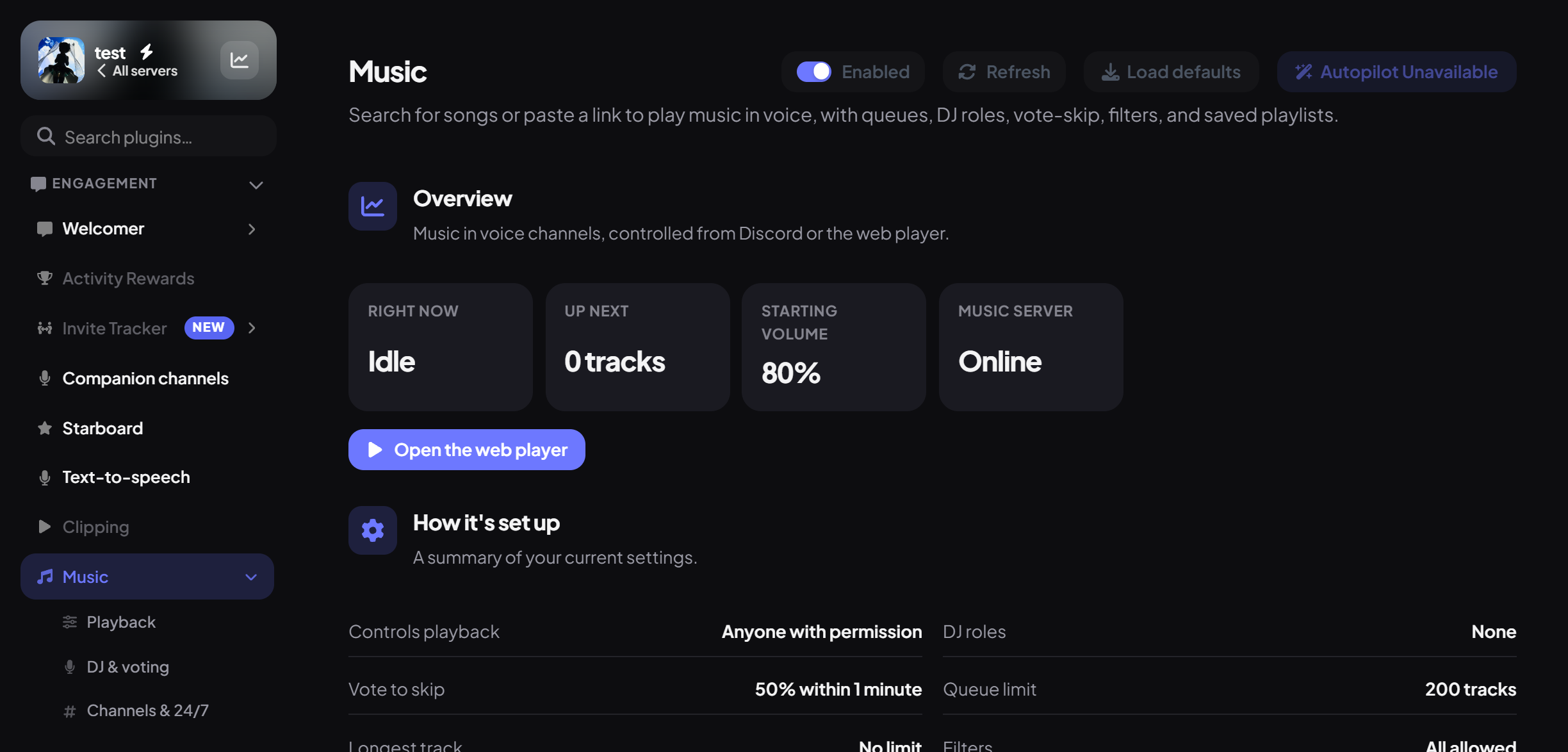
The Overview shows:
| Part | What it shows |
|---|---|
| Stat tiles | Right now (what's playing, or Idle), Up next, the volume (Starting volume when nothing plays), and whether the Music server is Online. |
| Banners | Warnings when Music is off, the music server is reconnecting or not set up, or DJ mode is on without any DJ roles. |
| How it's set up | A summary of every setting, with links to Playback, DJ & voting and Channels & 24/7. |
| Commands | The main music commands and what they do. |
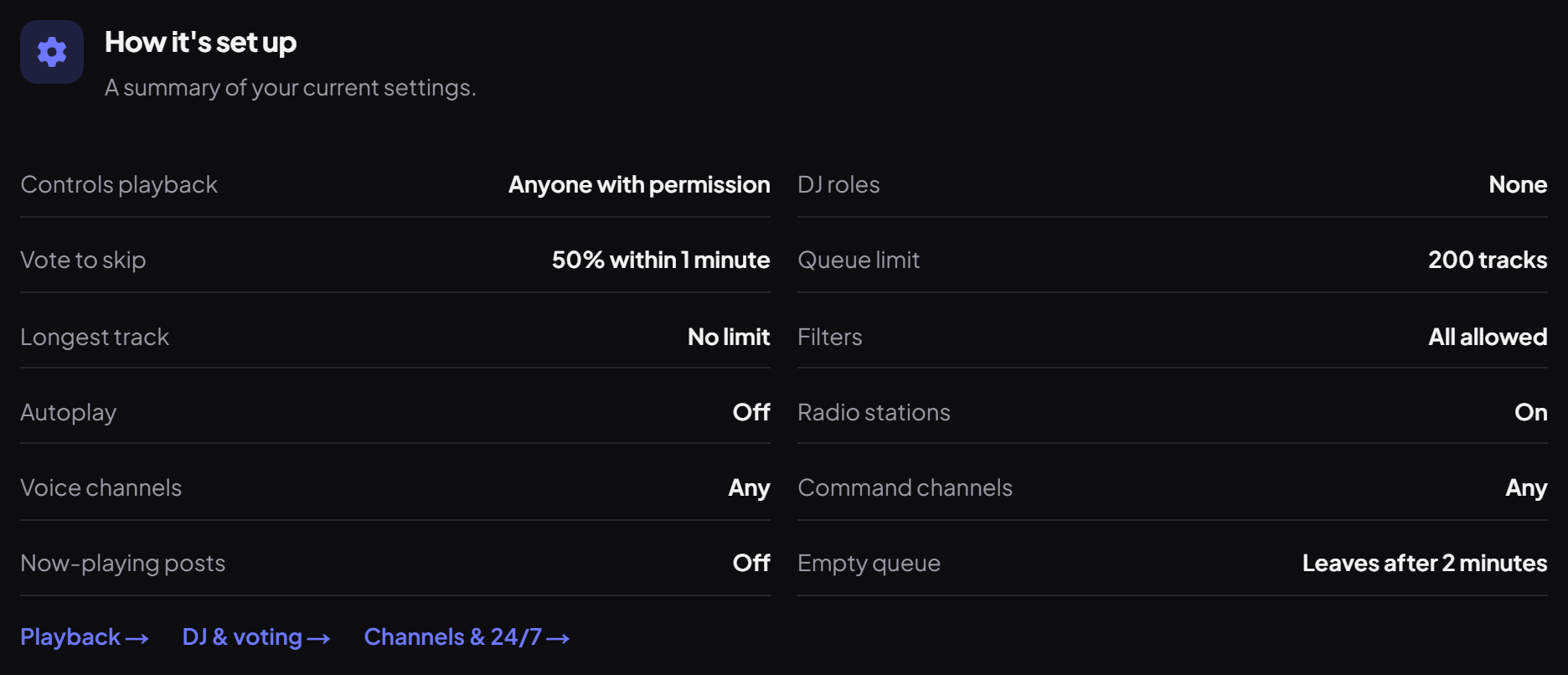
Use /queue view to see what's next and /nowplaying for the current song.
The web player
Press Open the web player on the Overview, or tap the now-playing pill in the site's header while you're in voice. From there you can:
- Pause, skip, shuffle, loop and stop, and change the volume (up to 150%).
- Search for a song or paste a link under Add a song, or queue one of your playlists.
- Move songs up, remove them, or clear the queue.
- Start a session in the voice channel you're in.
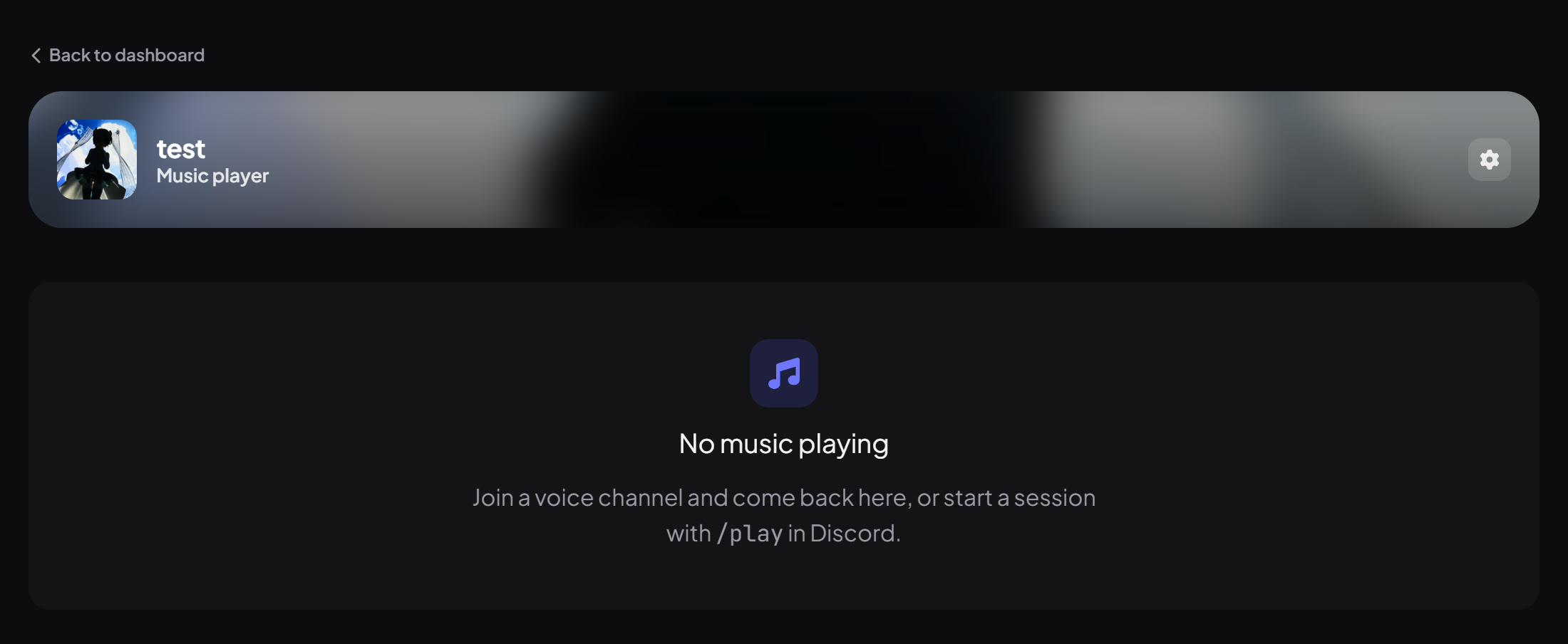
The web player follows the same permissions as the commands.
Step 2 · about 2 min
Set volume, limits and filters
Choose the defaults for every music session.
Open the Playback sub-page.
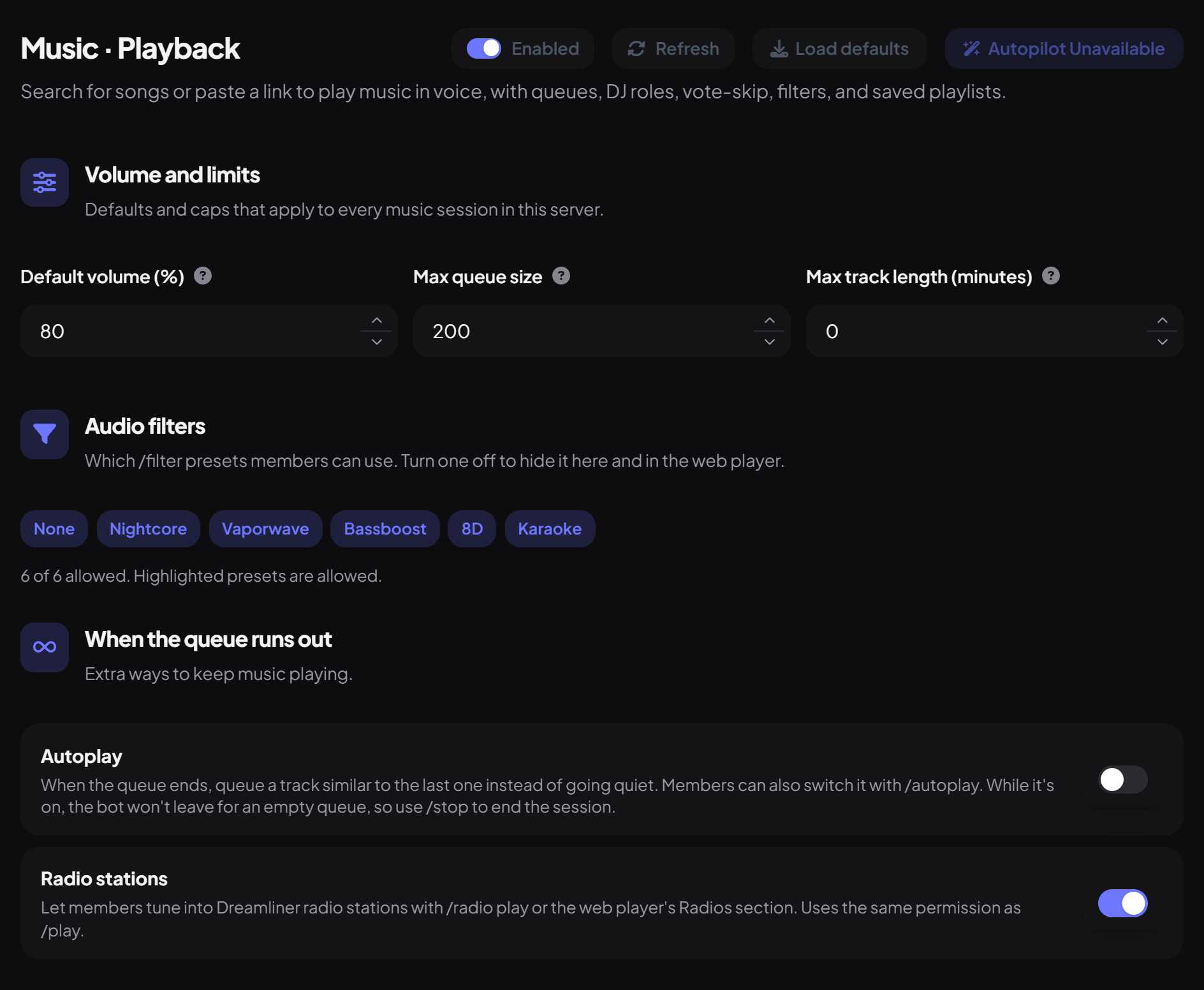
| Setting | What it does | Default |
|---|---|---|
| Default volume (%) | The volume a new session starts at (1 to 150). Members can still change it with /volume. | 80 |
| Max queue size | The most tracks the queue can hold at once (10 to 1,000). | 200 |
| Max track length (minutes) | Longer tracks can't be queued (0 to 600). 0 means no limit. | 0 |
| Audio filters | Which /filter presets members can use: None, Nightcore, Vaporwave, Bassboost, 8D and Karaoke. Highlighted chips are allowed; turning one off also hides it in the web player. | All |
Under When the queue runs out:
Step 3 · about 3 min
Set up DJs and vote-skip
Decide who controls the music.
Open the DJ & voting sub-page.
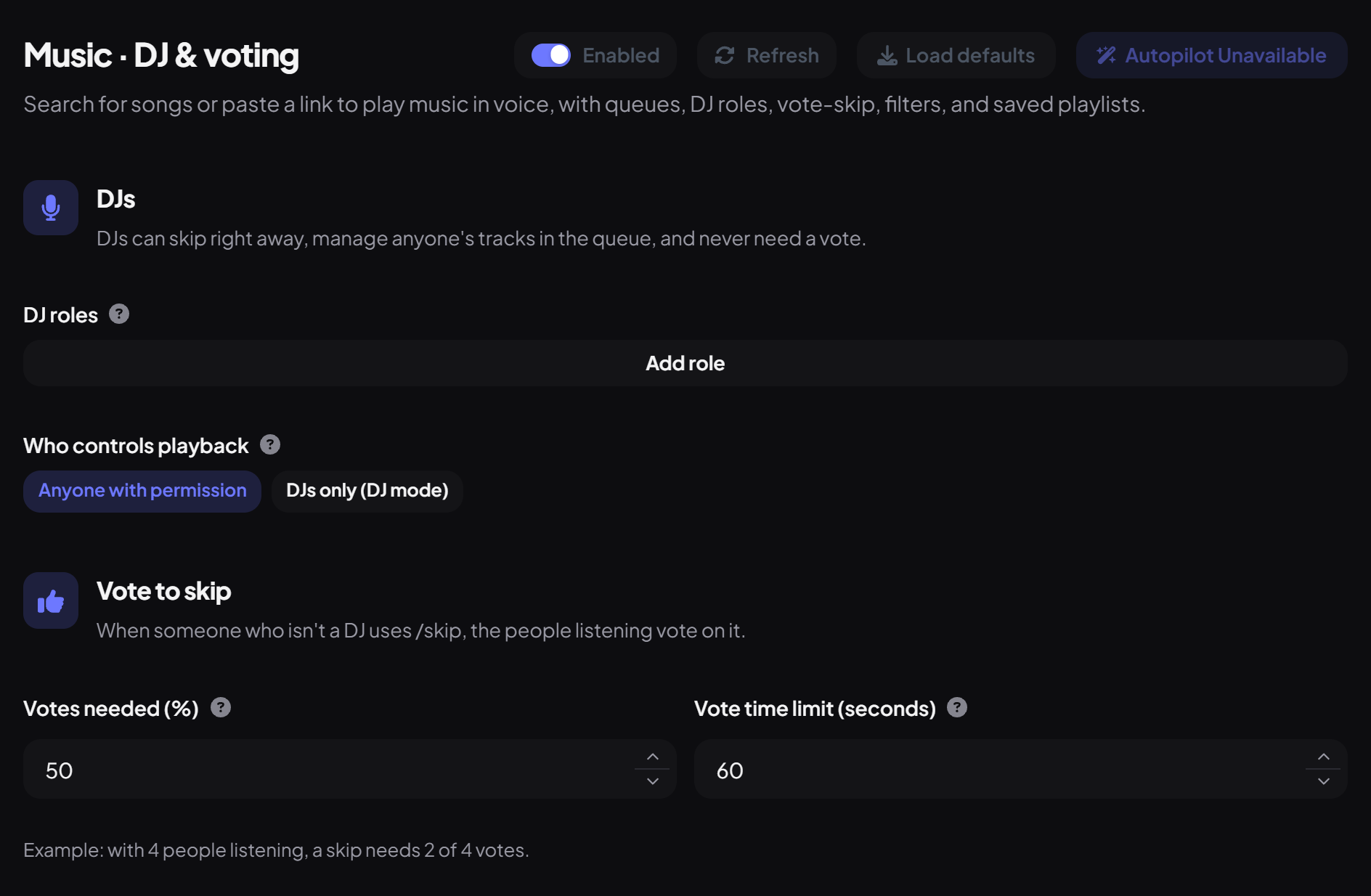
| Setting | What it does | Default |
|---|---|---|
| DJ roles | Members with these roles are DJs: they can skip right away, manage anyone's tracks in the queue, and never need a vote. | None |
| Who controls playback | Anyone with permission, or DJs only (DJ mode). In DJ mode only DJs can pause, skip, change volume or edit the queue; members can still skip or remove their own tracks. | Anyone with permission |
| Votes needed (%) | The share of people in the voice channel (bots don't count) who must vote to skip (10 to 100). Rounded up, at least 1 vote. | 50 |
| Vote time limit (seconds) | How long a skip vote stays open (10 to 300). | 60 |
When someone who isn't a DJ uses /skip, the people listening vote on it. The page shows an example, like "with 4 people listening, a skip needs 2 of 4 votes".
Step 4 · about 2 min
Choose channels, announcements and 24/7
Keep music where and how you want it.
Open the Channels & 24/7 sub-page.
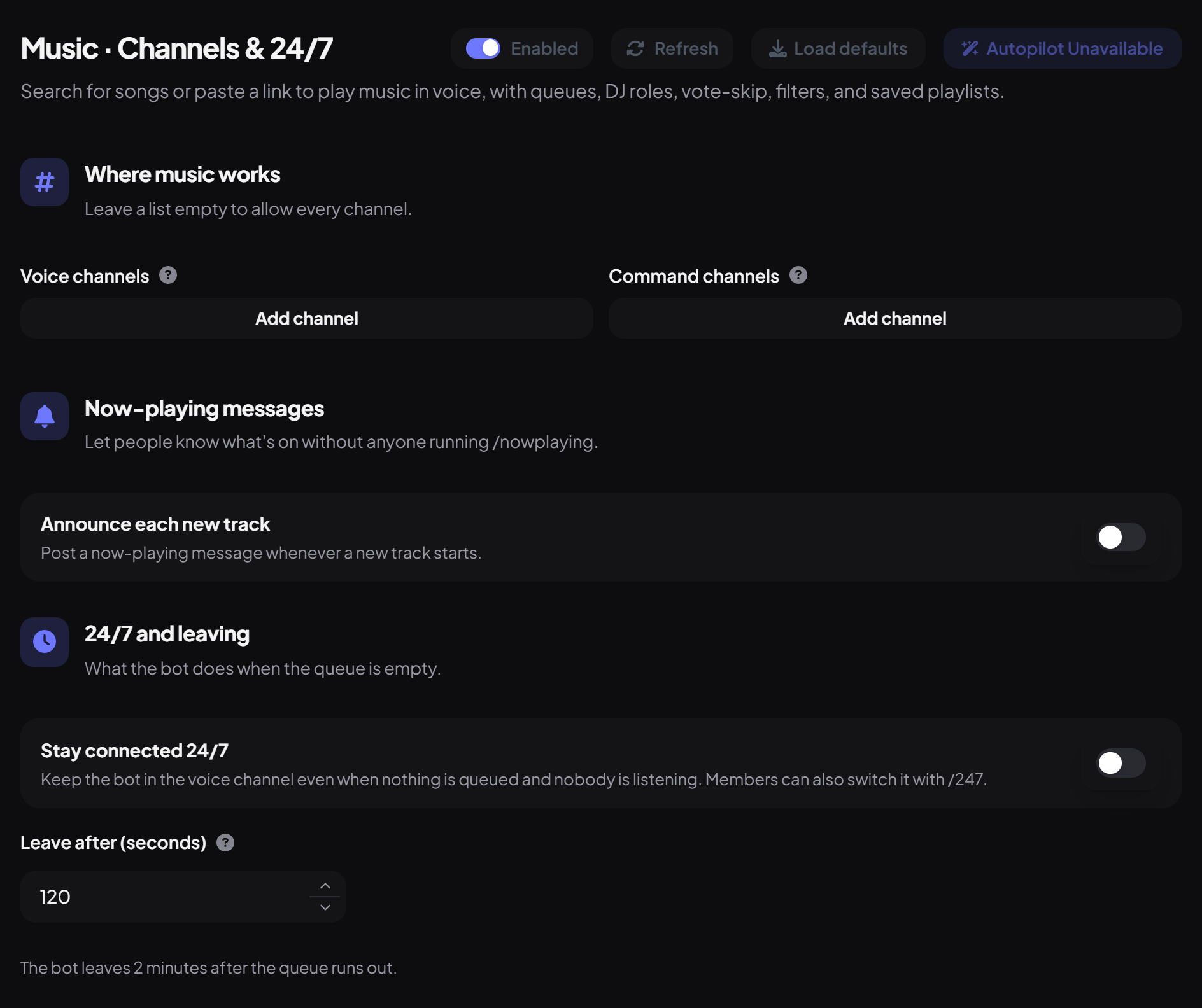
| Setting | What it does | Default |
|---|---|---|
| Voice channels | Music can only play in these voice channels. Empty allows any. | Any |
| Command channels | Music commands only work in these channels (a voice channel's chat counts too). Empty allows any. | Any |
| Announce each new track | Posts a now-playing message whenever a new track starts. Pick an Announcement channel, or leave it empty to post where /play was used. | Off |
Press Save changes when you're done with any sub-page.
Playlists
Playlists belong to you, not a server, so they work everywhere Dreamliner is. Manage them on the website under Playlists (up to 25 playlists of 200 songs), or in Discord:
| Command | What it does |
|---|---|
/playlist save | Save the current queue as a playlist. |
/playlist load | Add a playlist to the queue. |
/playlist list · show | See your playlists, or what's in one. |
/playlist rename · delete | Tidy up. |
Radio stations
Dreamliner Radio stations play nonstop, like real radio. Every server tuned in hears the same song at the same moment, so you can drop in at any time. Listening happens in your voice channel, and tuning in is done from Discord.
| Command | What it does |
|---|---|
/radio play station: | Tune in to a station. |
/radio leave | Leave the station and move on to the next song in the queue. |
/radio list | See every station and what's on air. |
/radio nowplaying | See the song playing on your station. |
If music is already playing, the station joins the queue and goes on air when it reaches the front. Turn stations off for your server with Radio stations on the Playback sub-page.
Who can do what by default
| Who | Commands |
|---|---|
| Everyone | /play, /join, /nowplaying, /queue view, /skip (vote), /playlist |
| Moderator | /pause, /resume, /stop, /leave, /volume, /seek, /filter, /queue remove · move · clear, /shuffle, /loop, /autoplay |
| Admin | Instant skip, /dj, /musicconfig, /247 |
You're set up
What you just did
- Played music with /play and found the web player
- Set volume, limits and filters on Playback
- Set up DJs and vote-skip on DJ & voting
- Chose channels, announcements and 24/7 on Channels & 24/7
Music shares Dreamliner's voice connection with Text-to-speech and Clipping, so only one can run at a time in a server.
Common questions
It says music isn't configured.
The music service is temporarily unavailable. The Music server tile on the Overview shows its status. Try again later or ask in the support server.
Can I play Spotify links?
Search for the song by name instead. Spotify playback isn't supported.
Does it scrobble to Last.fm?
No. Connecting Last.fm on your account is for the "Listening to" right-click option, not for music played by Dreamliner.
Read next