
Automod
Catch spam, slurs, scam links, mass mentions and raids automatically, with 23 filters, escalation ladders that get stricter for repeat offenders, and optional sync into Discord's own AutoMod.
By the end, you'll have
- Automod running with a preset that suits your server, ready in two minutes
- Each filter tuned: what it catches, what it does, and who it ignores
- Escalation ladders for repeat offenders, and optional native Discord AutoMod sync
Before you start
- Infractions set up, since Automod's warnings, timeouts and bans become real cases. See the Infractions guide.
- Dreamliner with Manage Messages, Moderate Members, Kick Members and Ban Members, and its role above your members.
- Manage Server, so you can open the dashboard.
Automod watches every message (new and edited) and every join, and acts the moment something breaks your rules, day or night. It's free, and everything it does is logged so your team can see why.
From slurs and spam to scam links, caps, zalgo text and raids.
Delete first, warn next, time out after that: stricter for repeat offenders.
Light, Standard or Strict sets everything up in one click.
Step 1 · about 2 min
Start with a preset
Turn Automod on with sensible rules in one click.
- On the dashboard, open Moderation and click Automod.
- Under Quick setup, pick Light, Standard or Strict.
- Press Save. Applying a preset also turns Automod on.

Step 2 · about 1 min
Choose who Automod ignores
Keep staff and special channels out of the filters.
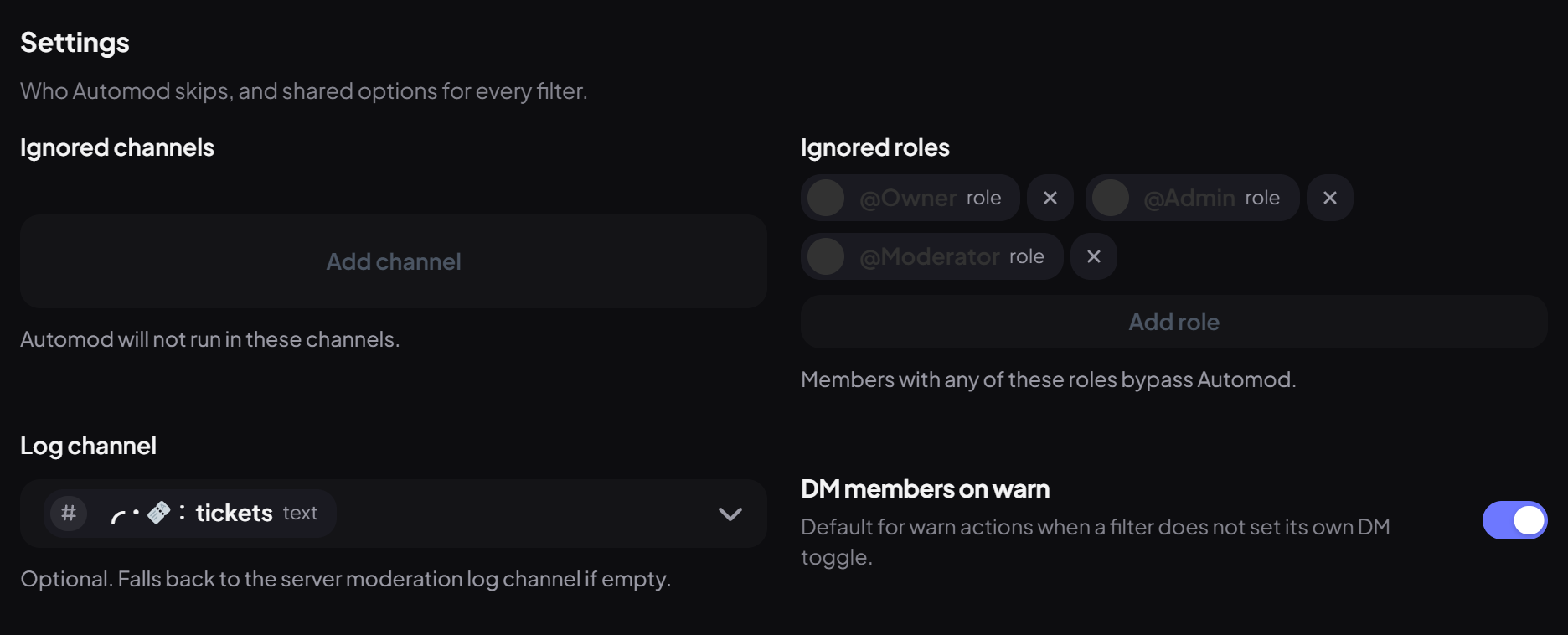
| Setting | What it does | Default |
|---|---|---|
| Ignored channels | Automod doesn't run in these channels at all. | None |
| Ignored roles | Members with any of these roles skip every filter. Add your staff roles. | None |
| Log channel | Where Automod posts what it caught. | Moderation log channel |
| DM members on warn | Warnings from Automod are DMed to the member. | On |
What each filter catches
| Group | Filters |
|---|---|
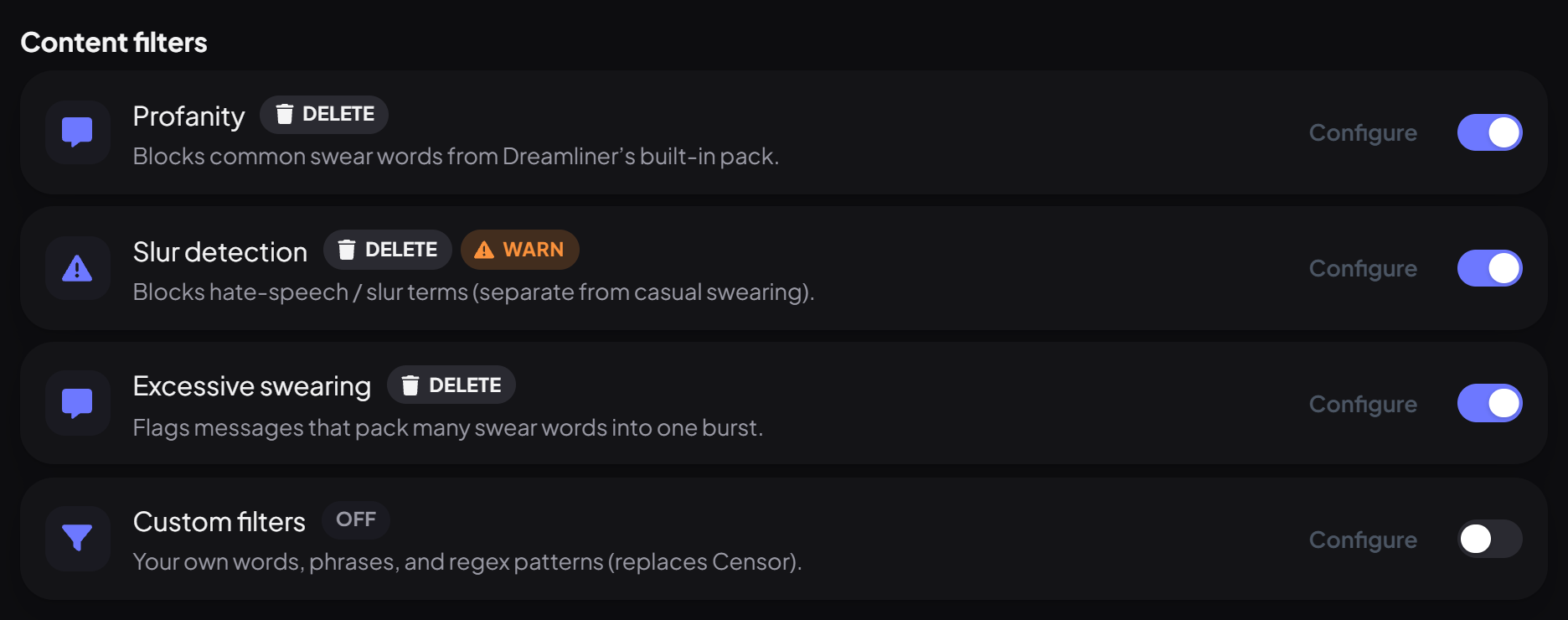
| Content filters | Profanity, slurs and excessive swearing (built-in word lists, catching l33t speak and spacing tricks), plus your own custom filter of words or regex. |
| Spam & noise | Message spam, emoji spam, duplicate messages, copypasta, sticker/GIF spam, attachment spam, lots of new lines, walls of text and repeated characters. |
| Mentions & links | Mass mentions, @everyone/@here abuse, Discord invites, too many links or blocked domains, and Domain Intelligence for scam and phishing links. |
| Presentation | Excessive caps and zalgo (glitchy) text. |
| AI detection | AI-written text. Logs only by default. |
| Image scanning | Known scam images, matched by a fingerprint of the picture. |
| Join protection | Raids: too many joins in a short time. |
Step 3 · about 3 min
Tune a filter
Change what a filter catches and what it does.
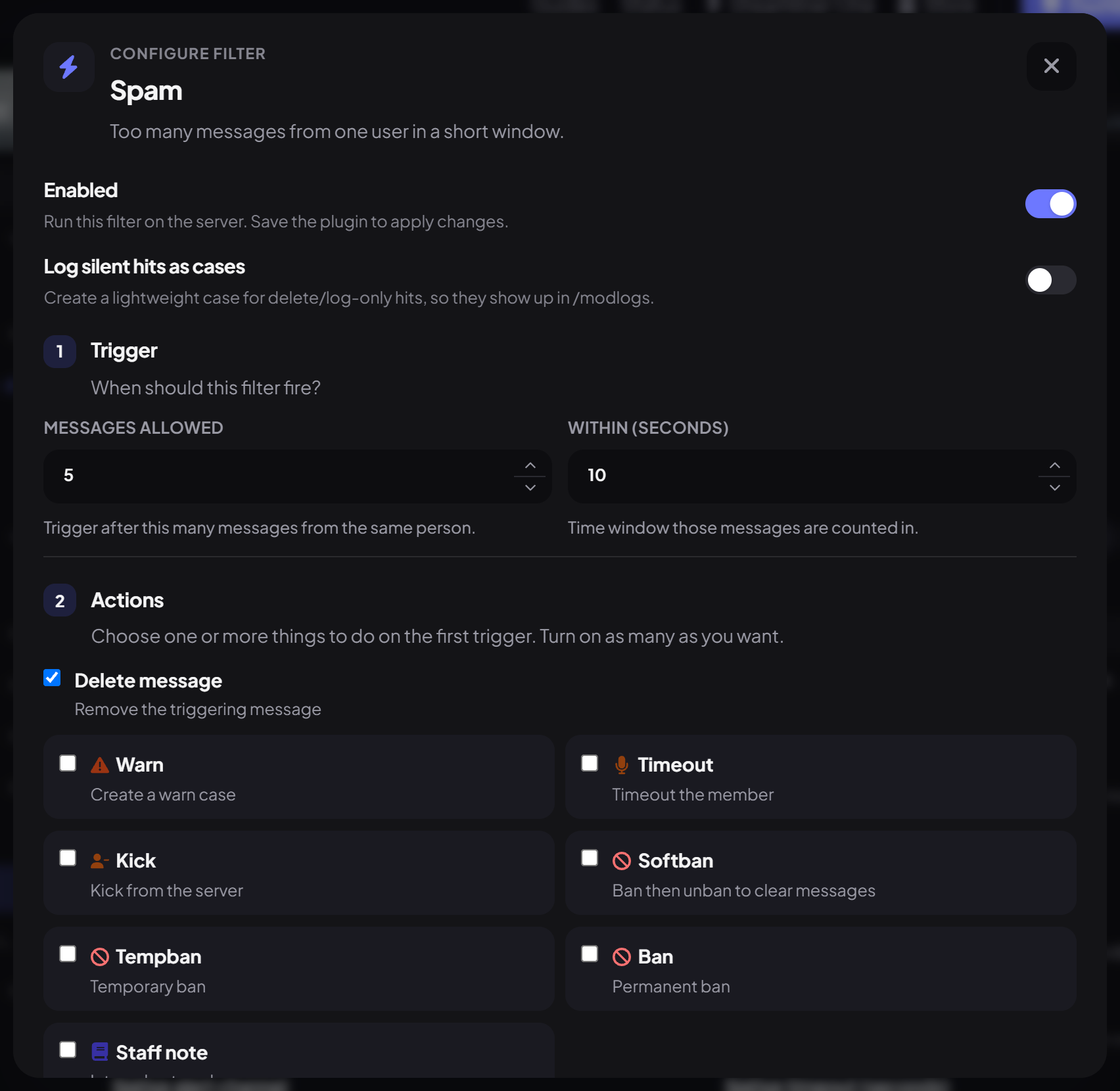
Every filter has a switch and a Configure button. The editor has four steps:
| Step | What you set |
|---|---|
| 1. Trigger | The limits, like how many messages in how many seconds count as spam, or the maximum caps percentage. Word lists and domain lists live here too. |
| 2. Actions | What happens on a match: Delete message, Warn, Timeout, Kick, Softban, Tempban, Ban or Staff note, plus points per hit and whether to DM them. |
| 3. Escalation | Stronger actions once someone's points pass a number within a time window (step 4). |
| 4. Exceptions | Channels and roles this filter ignores. |
Press Done, then Save on the page. Nothing changes until you save.
Step 4 · about 3 min
Get stricter for repeat offenders
Build a ladder so the response grows with the behaviour.
Each hit gives points (1 by default). Points are counted per filter, within Count points within (minutes) (60 by default). Press Add step and set After this many points and the actions for that step. The highest step reached is the one that runs.
| Points | Actions | Meaning |
|---|---|---|
| 1 (first hit) | Delete message | A quiet clean-up the first time. |
| 3 | Delete + Warn | A warning on their record and in their DMs. |
| 5 | Delete + Timeout 10 minutes | Time to cool off. |
Two options under Escalation bridge connect Automod with your manual moderation:
Step 5 · about 2 min
Stop scam and phishing links
Turn on Domain Intelligence and choose trusted sites.
Open Domain Intelligence and switch it on. It checks links against a live threat feed (Check live threat feeds) and looks for warning signs: raw IP addresses, lookalike characters, brand impersonation, risky domain endings and unusually long or hyphenated names.
- Add sites your community uses to Trusted domains so they're never flagged.
- To block specific sites outright, add them to Always-blocked domains on the Links filter.
- If the threat feed can't be reached, links are allowed rather than blocked.
Step 6 · about 2 min
AI text, image scanning and raids
Decide on the three special filters.
Step 7 · about 2 min
Sync to Discord's native AutoMod (optional)
Let Discord block the worst messages before they're even sent.
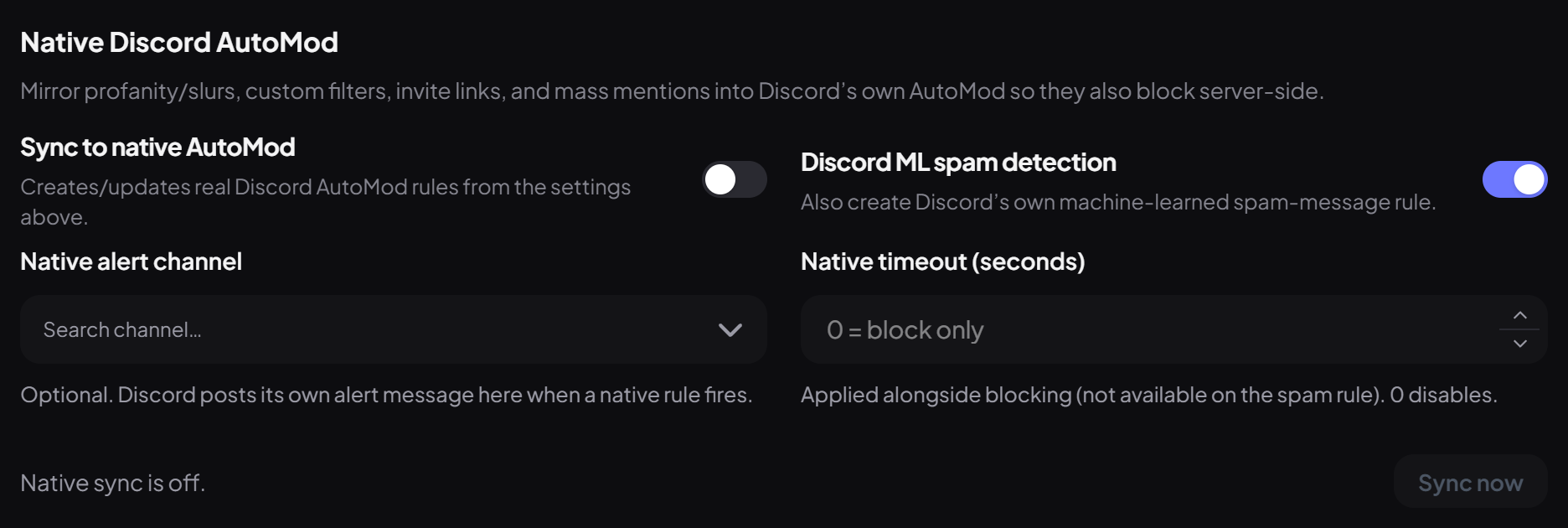
Under Native Discord AutoMod, switch on Sync to native AutoMod. Dreamliner creates Discord AutoMod rules from your settings: Discord's profanity and slur lists, your custom words, @everyone, invites, mention spam, and optionally Discord's ML spam detection.
| Setting | What it does | Default |
|---|---|---|
| Discord ML spam detection | Adds Discord's own spam rule. | On |
| Native alert channel | Where Discord posts its alerts. | None |
| Native timeout (seconds) | Times people out when Discord blocks them. 0 just blocks. | 0 |
Step 8 · about 1 min
Test before you trust it
Check a message against your saved rules.
Under Test a message, type something and press Test. It shows which filter would catch it and what would happen.

You're set up
What you just did
- Turned Automod on with a preset and kept staff out of the filters
- Tuned the filters you care about, with ladders for repeat offenders
- Set up scam link checks, the special filters and native sync where useful
Automod feeds Incident Response, which can spot patterns across many hits and lock things down in an emergency.
Common questions
Automod isn't doing anything.
Check it's on (applying a preset turns it on, or use the plugin list on the Server page), that the filter is switched on and saved, and that the member doesn't have an ignored role.
Is there a command for Automod?
No. Everything is on the dashboard, and the Test a message box replaces the old test command.
A word is caught that shouldn't be.
Built-in lists can't be edited, but you can turn that filter off and add exactly the words you want to the Custom filter instead.
Do edited messages get checked?
Yes. Editing a message to add something rule-breaking is caught too.
Is Automod free?
Yes, every filter is free. Only the Autopilot button uses your Autopilot uses.
Read next