
Scam Protect
Catch hacked accounts and spam bots with a honeypot channel: a channel real members are told never to post in, so anyone who does is removed automatically.
By the end, you'll have
- A trap channel at the top of your server that catches spam bots
- Anyone who posts there softbanned, removing their messages
- A day-by-day count of everything it has caught
Before you start
- Dreamliner with Manage Channels and Ban Members.
- Manage Server, so you can open the dashboard.
Hacked accounts and spam bots usually post the same scam in every channel they can see, starting from the top. Scam Protect puts a trap channel there with a clear warning not to post. Real members read it and leave it alone; bots don't, and get removed on their first message.
Dreamliner creates the channel and the warning for you.
Removes the poster and clears their recent messages. They can rejoin later.
Every catch is logged as a case and counted on the page.
Step 1 · about 1 min
Set up the trap channel
Turn on Scam Protect in one click.
- On the dashboard, open Moderation and click Scam Protect.
- If you want your own channel name, set it first under Settings further down (see the next step). Otherwise Dreamliner picks one for you.
- Under Status, press Set up Scam Protect. Dreamliner turns Scam Protect on and creates the channel at the top of your list, with a warning message. You don't need to save for this.
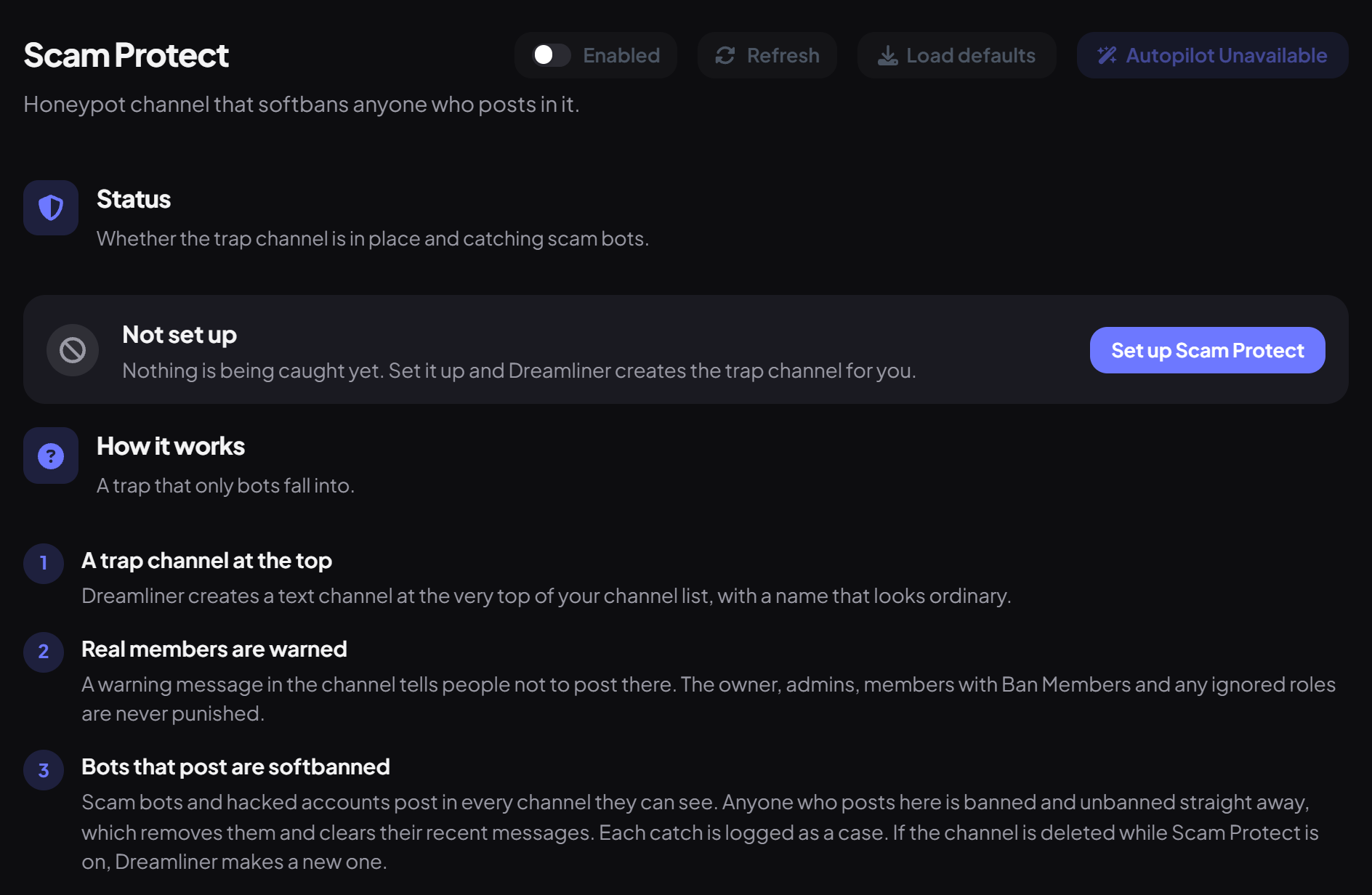
The Status card then shows one of three states:
| Status | What it means |
|---|---|
| Protected | The trap channel is live and shown next to the status. Anyone who posts in it is softbanned. |
| Needs attention | The channel is missing or Dreamliner can't see it (press Recreate channel), or its warning message is missing (press Repair). |
| Not set up | Nothing is being caught yet. Press Set up Scam Protect. |
Step 2 · about 1 min
Name the channel and choose who it ignores
Adjust the trap's name and safe roles.
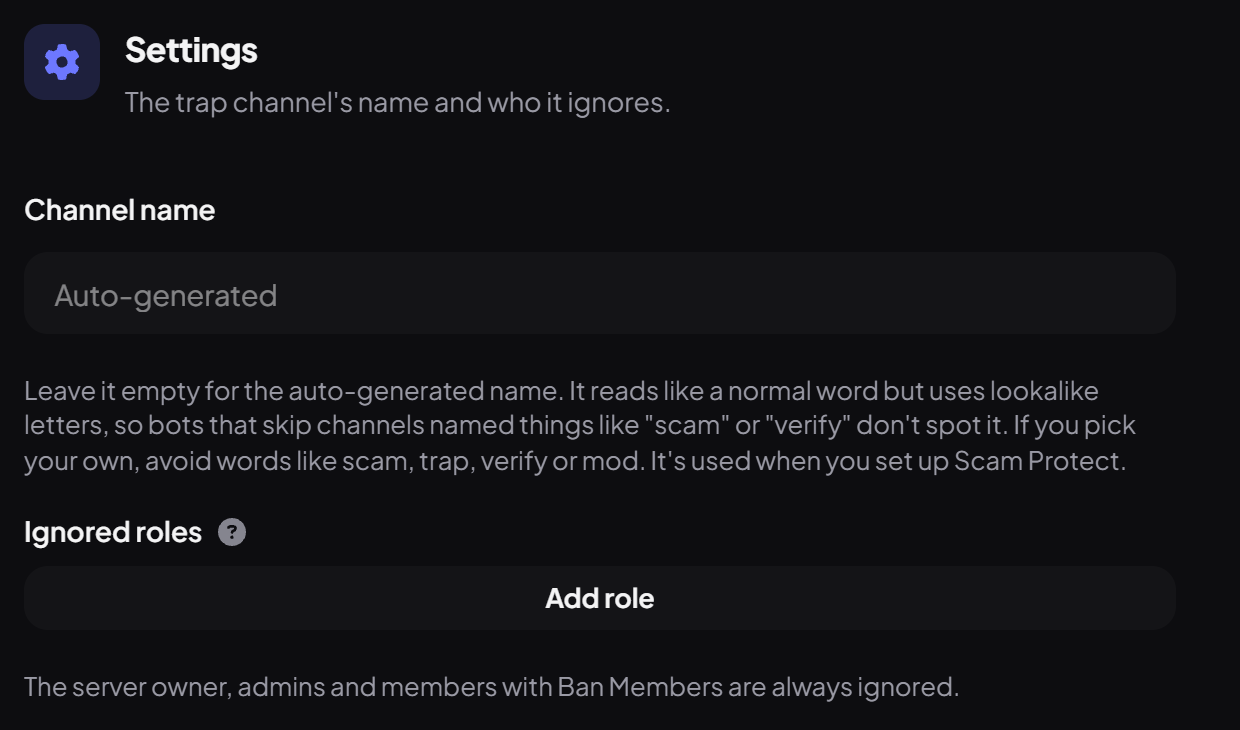
- Channel name: leave it empty for the auto-generated name. It reads like a normal word but uses lookalike letters, so bots that skip channels named things like "scam" or "verify" don't spot it. If you pick your own, avoid words like scam, trap, verify or mod.
- Once the channel exists, press Apply name to rename it right away.
- Ignored roles: press Add role for roles that can post in the trap channel without being softbanned. Then press Save changes in the bar at the bottom.
Who gets removed
Anyone who posts in the channel is softbanned, except:
- The server owner
- Admins and members with Ban Members
- Members with one of your Ignored roles
If the channel is deleted while Scam Protect is on, Dreamliner makes a new one.
See what it caught
The Caught panel counts accounts softbanned for posting in the trap channel: All time, Last 30 days and Last 7 days, with a day-by-day chart once something has been caught. Each catch is also logged as a case.
Turning it off
You're set up
What you just did
- Set up the trap channel
- Chose its name and the roles it ignores
- Learned who is removed, where catches show up, and how to turn it off
Every catch is also a signal for Incident Response.
Common questions
Could a real member get caught?
Only if they ignore the warning. Softban isn't permanent: they can rejoin with a new invite.
It isn't removing anyone.
Check the Status card says Protected, that Dreamliner still has Ban Members, and that its role is above the people posting.
Read next