
Invite Tracker
See exactly who invited each new member, with fake-join detection, a leaderboard, join and leave messages, tracked links for campaigns, growth analytics and one-click raid protection for your invites.
By the end, you'll have
- Every join credited to the right inviter, with fakes filtered out
- Join and leave messages that say who invited them
- Tracked links to measure where members come from, plus analytics and raid tools
Before you start
- Dreamliner with Manage Server, which Discord requires for reading invites.
- Manage Server yourself, so you can open the dashboard.
Invite Tracker watches your server's invites and works out which one each new member used. It credits the person who made it, spots fake joins, and shows you which links and people actually bring members in. It's completely free.
Totals are regular joins, minus people who left or were fake, plus any bonus.
Campaign links that show where people came from, and can give a role.
Pause all invites in one click, or automatically during a burst of joins.
Step 1 · about 1 min
Check it's working
Make sure Dreamliner can read your invites.
- On the dashboard, open Engagement and click Invite Tracker. It opens on Overview.
- If you see a Manage Server warning, give Dreamliner's role Manage Server in Server Settings → Roles. Without it, joins can't be traced to an invite.
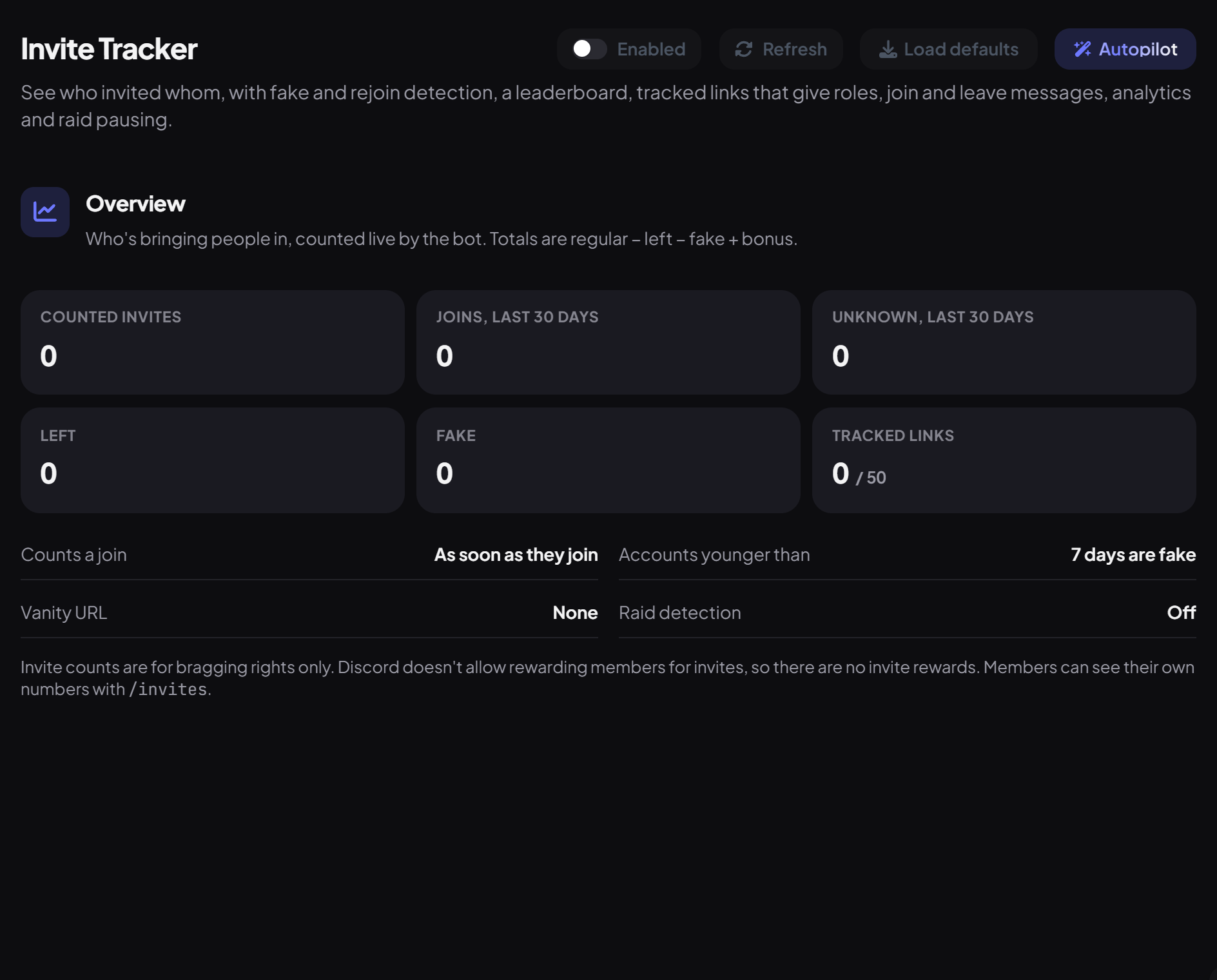
Overview shows Counted invites, Left, Fake and Tracked links, plus a summary of your settings. The other pages are in the sidebar under Invite Tracker.
Step 2 · about 3 min
Decide what counts
Set fake detection and when a join counts.
Open Settings:
| Setting | What it does | Default |
|---|---|---|
| Count a join | As soon as they join, or after Passport verification (with a Give up after time). | As soon as they join |
| Minimum account age | Accounts younger than this count as fake. | 7 days |
| Quick leave | Leaving within this many minutes counts as left or as fake. 0 is off. | Off |
| When someone rejoins | Mark as fake, Don't count, or Count again. | Mark as fake |
| Blacklist | Users and roles whose invites never count. | None |
| Log channel | Where join details and raid alerts are posted. | None |
| Keep join details for | How long full join history is kept (30 to 730 days). | 365 days |
Using your own invite always counts as fake.
Step 3 · about 3 min
Announce joins and leaves
Say who invited each new member.
Open Messages. Each message has its own switch and channel, and the same editor as Welcomer (text, embed and image card):
| Message | Sent when | Default text |
|---|---|---|
| Join message | Someone joins with a member's invite. | {user} joined, invited by **{inviter_name}** ({invites} invites) |
| Unknown join message | The inviter can't be worked out: the vanity URL, a bot added through OAuth, or one of your tracked links. | {user} joined via {join_source} |
| Leave message | Someone leaves. | {user_name} left. They were invited by **{inviter_name}** ({invites} invites) |
| Placeholder | Becomes |
|---|---|
| {inviter} / {inviter_name} | The inviter (shown as a mention, but never pinged) / their name |
| {invites} | The inviter's total |
| {invites_regular} {invites_left} {invites_fake} {invites_bonus} | The parts of that total |
| {invite_code} / {invite_link_name} | The code used / the tracked link's name |
| {join_source} | How they joined, like vanity URL |
| {account_age} | How old their account is |
Step 4 · about 3 min
Create tracked links
Find out which campaign brings people in.
- Open Tracked links.
- Under New tracked link, give it a Name (like "Reddit post") and pick the Channel it opens in.
- Optionally add Roles for joining (up to 5), Max uses and when it Expires.
- Press Create link and share it.
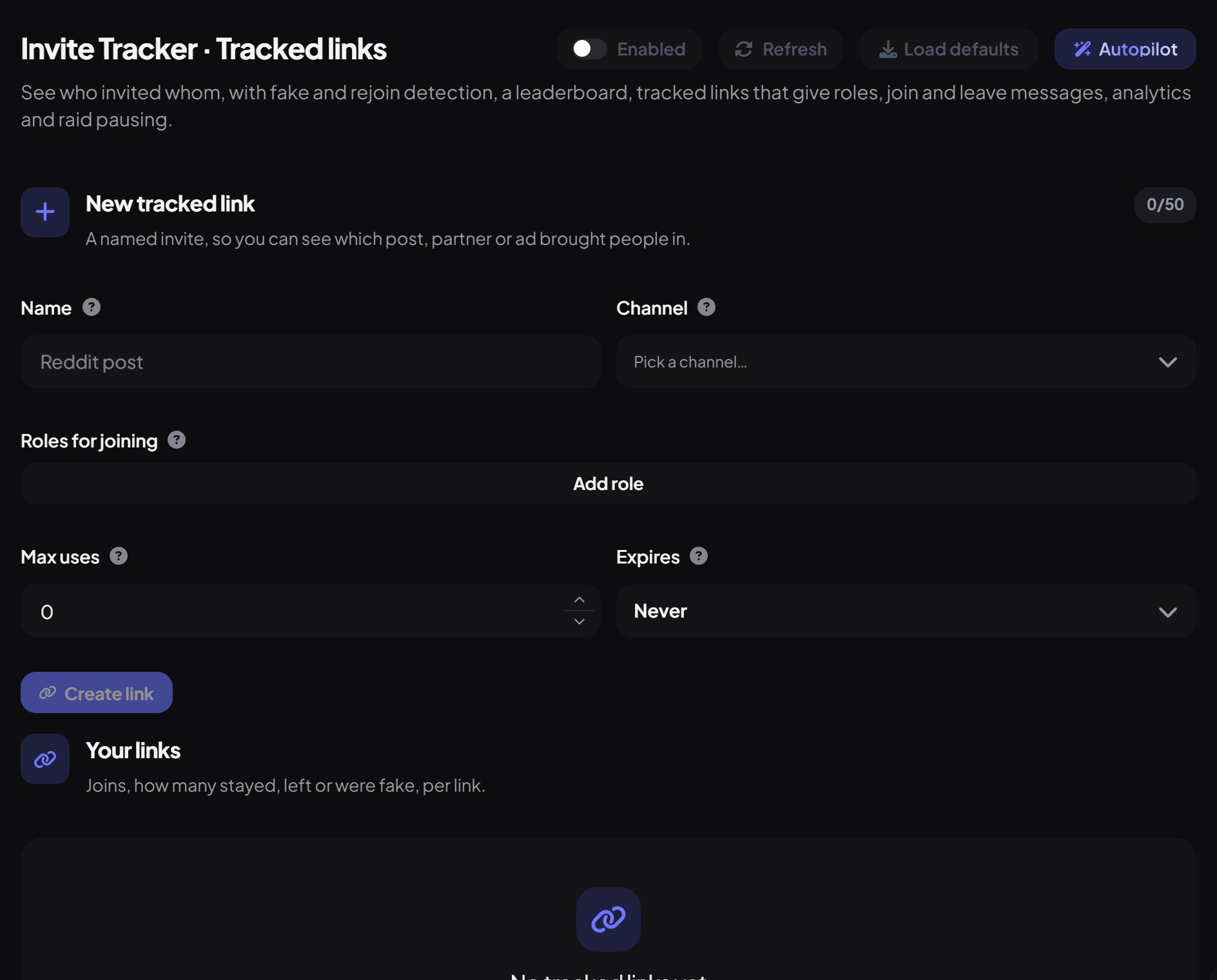
Your links shows each link's Joins, Stayed, Left and Fake. You can have up to 50. Roles from a link mark where someone came from, they aren't a reward for anyone.
Leaderboard, members and analytics
Step 5 · about 2 min
Protect your invites from raids
Stop a flood of joins at the door.
Open Raid. Under Pause invites you can pause every invite for 15 minutes up to 24 hours, and resume early.
| Raid detection | What it does | Default |
|---|---|---|
| Joins / Within | How many joins in how many seconds counts as a raid. | 10 in 60 seconds |
| Then | Alert only, Delete the invite they used, or Pause all invites. | Alert only |
| Pause for | How long to pause, when pausing. | 60 minutes |
| Ping role | Who to ping in the alert, posted in your log channel. | None |
Commands
| Command | What it does | Who by default |
|---|---|---|
/invites count | Someone's invite total and breakdown. | Everyone |
/invites leaderboard | The leaderboard as an image. | Everyone |
/invites who | Who invited a member. | Everyone |
/invites invited | Who a member invited. | Everyone |
/invites codes | A member's invite codes. | Everyone |
/invites bonus | Add or remove bonus invites. | Admin |
/invites reset | Reset one member or everyone (history is kept). | Admin |
/invites links | List, create or delete tracked links. | Admin |
/invites raid | Pause, resume or check invites. | Moderator |
Right-click a member and choose Who invited for a quick answer.
You're set up
What you just did
- Checked Dreamliner can read invites
- Set what counts and turned on messages
- Created tracked links and set up raid protection
- If two invites are used at the same moment, or during a big burst, a join may show as unknown.
- Bot joins are never credited to anyone.
Common questions
Everyone shows as unknown.
Dreamliner needs Manage Server to see invite uses. Give it that permission and new joins will be traced.
Can I give a role for inviting 10 people?
No, Discord doesn't allow invite rewards. Tracked link roles are allowed because they only mark where a member came from.
Read next